

W-Okada Voice Changer
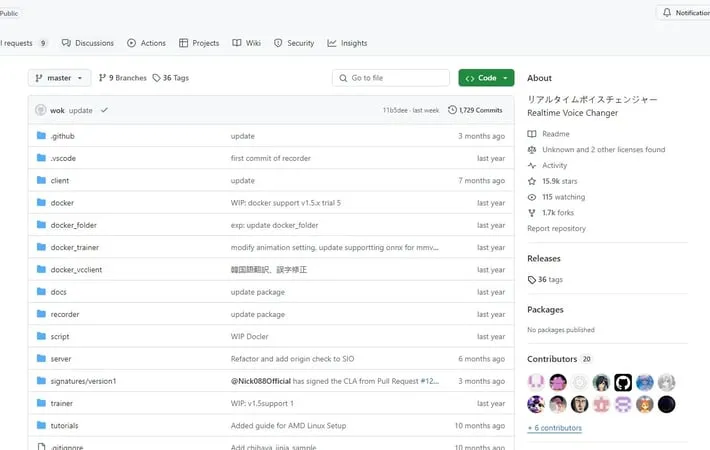
About W-Okada Voice Changer
W-Okada Voice Changer is a client software for real-time voice conversion that supports various AI voice conversion models. Developed by Watanabe Okada, it allows users to transform their voice into different characters or styles in real-time for applications like streaming, gaming, and content creation. The software is available for Windows and Mac, with options to use CPU or GPU acceleration.
Key Features
W-Okada Voice Changer is a free, open-source real-time voice conversion software that uses AI to transform voices. It supports multiple voice conversion models, allows customization of voice settings, and can integrate with various applications for streaming, gaming, and more. The software works on Windows, Mac, and Linux, with options for both CPU and GPU processing. Real-time voice conversion: Converts voices in real-time using AI models for immediate output Multiple voice models: Supports various AI voice conversion models like RVC, DDSP-SVC, and So-VITS-SVC Customizable voice settings: Allows adjustment of pitch, quality, and other parameters to fine-tune the output voice Cross-platform compatibility: Works on Windows, Mac, and Linux operating systems GPU acceleration: Supports GPU processing for faster performance on compatible systems
Use Cases
Game streaming: Streamers can use it to alter their voice for entertainment or anonymity while broadcasting gameplay Voice acting: Voice actors can experiment with different voice styles for characters or demos Content creation: YouTubers and podcasters can create varied voice content for their channels Language learning: Students can practice pronunciation by comparing their voice to native speaker models
Pros
Free and open-source Supports multiple AI voice conversion models Cross-platform compatibility
Cons
Can be complex to set up for beginners Requires powerful hardware for optimal real-time performance Limited documentation and support compared to commercial alternatives
How to Use
Download the voice changer: Go to the GitHub repository for W-Okada Voice Changer. Scroll down to the releases table and download the latest version compatible with your operating system. Install dependencies: Install any required dependencies like Python, PyTorch, etc. as specified in the installation instructions. Launch the application: Run the voice changer executable. Grant any necessary administrator permissions. Wait for the initial loading and file downloads to complete. Select voice model: Choose an RVC (voiceover) model from the available options or upload your own custom model. Configure audio settings: Set up your input/output audio devices. Adjust settings like chunk size to balance latency and quality. Adjust voice parameters: Modify voice settings like pitch, formant, etc. to achieve the desired voice effect. Test and use: Speak into your microphone and listen to the transformed output in real-time. Use with other applications like games or voice chat. Record output (optional): Use the built-in recorder or external software to capture the transformed voice if desired.
Official Website
Visit https://github.com/w-okada/voice-changer to learn more.
