

Tooning
About Tooning
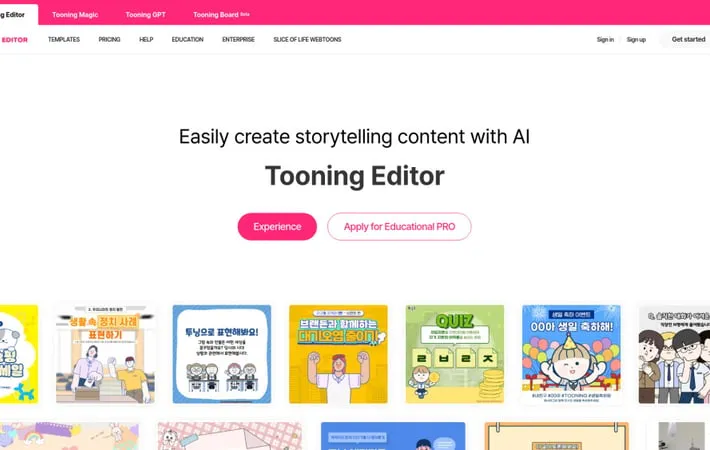
Tooning is a smart creation platform primarily focused on educational and storytelling content creation. Developed by Toonsquare, it combines AI technology with webtoon-style content authoring tools to enable teachers, students, and general users to create engaging visual content. The platform offers both a content creation editor and an educational platform, with special features tailored for primary and secondary education.
Key Features
Tooning is an AI-powered webtoon and content creation platform that allows users to create storytelling content without requiring artistic skills. It features AI-driven character creation from text or photos, customizable templates, and easy-to-use animation tools that interpret emotions and text to generate appropriate character expressions and movements. AI Character Generation: Create cartoon characters from photos or text descriptions, with AI interpreting emotions and meaning to apply appropriate expressions Template-Based Creation: Pre-made storytelling templates that allow quick and easy content creation for various purposes Text-Driven Animation: Direct character movements and expressions through simple text input, making animation accessible to non-artists 3D Pose Composition: Tools for creating and adjusting character poses, backgrounds, speech bubbles, and effects in webtoon-style content
Use Cases
Education: Teachers can create engaging visual lessons and interactive activities for students, including self-introduction exercises and future career exploration Marketing: Startups and businesses can create branded content and friendly corporate communications without hiring designers Digital Textbooks: Educators can develop interactive digital textbooks with engaging visual content and character-based learning materials
Pros
No artistic skills required to create professional-looking content Easy to use with simple interface and templates Free Educational Pro subscription available for certified teachers
Cons
Regular subscription can be expensive ($700/year for Pro version) Limited to webtoon-style artistic expression
How to Use
Step 1: Access Tooning: Go to tooning.io and create an account to access the Tooning Editor platform Step 2: Apply for Educational PRO (for teachers): Send an email to with: 1) Full name as on teaching certificate 2) Tooning account ID 3) School name 4) Grade/class 5) Subject 6) Phone number 7) Intended use 8) How you learned about Tooning. Use school email address. Step 3: Select Template: Choose from available storytelling templates to quickly create content Step 4: Create Characters: Either select from existing characters or generate new ones using AI by uploading photos or entering text descriptions Step 5: Customize Characters: Freely modify character expressions and movements using the editor tools Step 6: Add Dialogue: Direct characters and add dialogue using the text input feature Step 7: Generate Comic Content: Use the AI feature to generate cartoon strips from written sentences Step 8: Edit and Finalize: Combine and edit elements like speech bubbles and other components with simple clicks to complete your content
Official Website
Visit https://tooning.io/ to learn more.
