

TinyWow
About TinyWow
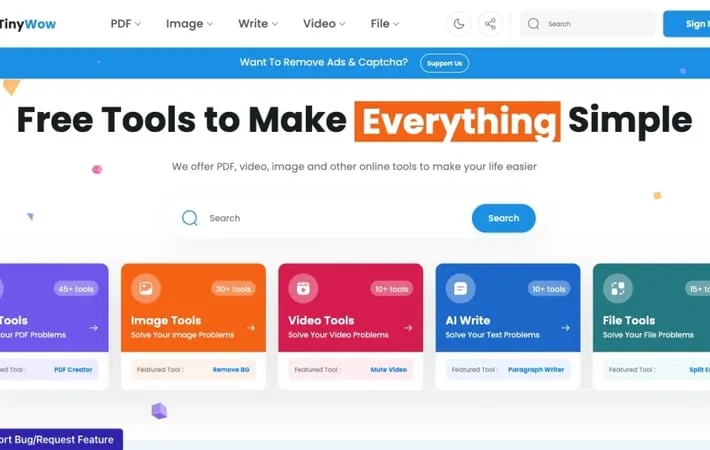
TinyWow is a comprehensive online toolkit that provides users with a wide array of free, easy-to-use tools for various digital tasks. From PDF editing and image manipulation to video processing and AI-powered writing assistance, TinyWow aims to simplify complex tasks for users without the need for specialized software or technical expertise. The platform boasts over 1 million active users and has processed more than 10 million file conversions, offering a one-stop solution for both personal and professional digital needs.
Key Features
TinyWow is a free online platform that offers a wide range of AI-powered tools for PDF editing, image manipulation, video processing, file conversion, and AI writing assistance. It provides over 200 free tools without requiring registration, allowing users to perform tasks like PDF editing, background removal, file conversion, and content generation quickly and easily through a simple web interface. Extensive Tool Collection: Over 200 free online tools for PDF, image, video, file conversion, and AI writing tasks. No Registration Required: Users can access and use all tools without needing to create an account or sign up. AI-Powered Functionality: Utilizes artificial intelligence for advanced tasks like background removal, object deletion, and content generation. File Privacy: Automatically deletes all processed and unprocessed files after 1 hour for user privacy and security. Multi-Format Support: Supports a wide range of file formats for conversion and editing across different types of media.
Use Cases
Student Research: Students can use TinyWow to merge multiple PDF files, convert documents between formats, and generate essay outlines using AI writing tools. Digital Marketing: Marketers can resize images, remove backgrounds, create memes, and generate social media captions using TinyWow's image and AI writing tools. Content Creation: Content creators can use TinyWow to edit videos, generate AI images, improve written content, and convert files between various formats. Administrative Tasks: Office workers can compress PDFs, convert documents, split or merge files, and perform other document management tasks efficiently.
Pros
Free to use with no registration required Wide variety of tools covering multiple media types User-friendly interface for quick and easy task completion AI-powered features for advanced editing and generation tasks
Cons
Files are automatically deleted after 1 hour, which may be inconvenient for some users Some advanced features may require a paid subscription Web-based platform may have limitations compared to dedicated desktop software for certain tasks
How to Use
Go to the TinyWow website: Visit https://tinywow.com in your web browser Choose a tool category: Select from PDF, Image, Video, AI Write, or File tools on the homepage Select a specific tool: Click on the tool you want to use, like 'PDF to Word' or 'Remove Background' Upload your file: Click 'Choose Files' to upload the file you want to edit or convert Adjust settings if needed: Some tools may have options to customize the output - adjust these if desired Process the file: Click the button to start processing (e.g. 'Convert', 'Remove Background', etc.) Download the result: When processing is complete, click the 'Download' button to save your file Delete files (optional): Your files are automatically deleted after 1 hour, but you can manually delete them sooner if desired
Official Website
Visit https://tinywow.com/ to learn more.
