

Speechify
About Speechify
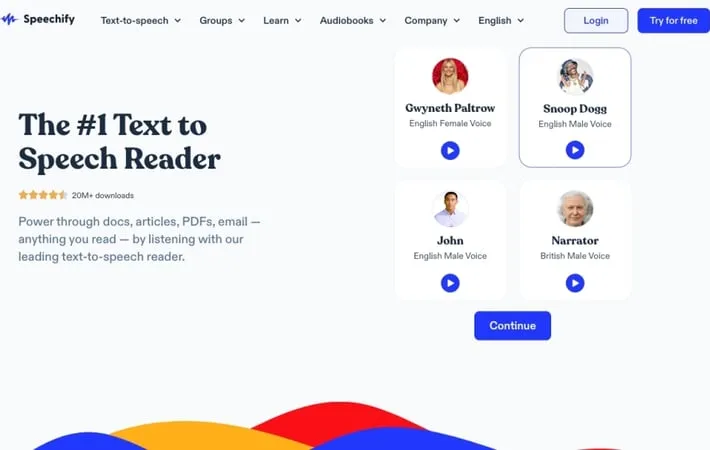
Speechify is an advanced text-to-speech application that uses artificial intelligence to convert written text into lifelike spoken words. As the #1 rated text-to-speech app with millions of downloads, Speechify offers a seamless listening experience across Chrome, iOS, Android, and other platforms. It allows users to listen to books, documents, web pages, emails, and more in natural-sounding voices. Founded by Cliff Weitzman to help those with reading disabilities, Speechify has grown to become a powerful tool for anyone looking to enhance their reading and learning experience.
Key Features
Speechify is a leading text-to-speech app that converts written content into natural-sounding audio. It offers high-quality AI voices in multiple languages, fast playback speeds up to 9x, and cross-device syncing. The app can read aloud various text formats including websites, PDFs, ebooks, and scanned documents. Speechify also provides AI voice generation tools for creating voiceovers, dubbing, and voice cloning. Natural-sounding AI voices: Over 30 premium, human-like voices in multiple languages and accents Fast playback speeds: Listen at up to 9x normal speed to consume content more quickly Multi-format support: Reads aloud websites, PDFs, ebooks, scanned documents, and more Cross-device syncing: Seamlessly switch between devices while listening to saved content OCR scanning: Convert printed text to audio by scanning with your device's camera
Use Cases
Students with learning disabilities: Helps students with dyslexia or ADHD consume textbooks and course materials more easily Busy professionals: Allows multitasking by listening to reports, emails, and documents while commuting or doing other tasks Content creators: Generate natural voiceovers and dub videos into multiple languages using AI voices Language learners: Practice pronunciation and listening skills by following along with text as it's read aloud Avid readers: Turn any ebook or article into an audiobook to consume content on-the-go
Pros
High-quality, natural-sounding AI voices Fast playback speeds up to 9x Supports multiple text formats and languages Helpful for those with reading difficulties
Cons
Premium features require a paid subscription Some users report occasional bugs or glitches Free version has limited features
How to Use
Download and install Speechify: Download the Speechify app from the App Store (iOS) or Google Play Store (Android), or install the Chrome extension for desktop use. Sign up for an account: Create a free Speechify account or sign in if you already have one. Choose your content: Select the text you want to listen to - this can be a PDF, web page, document, ebook, or even a physical book you scan. Import or scan your content: For digital content, import it into the Speechify app. For physical books, use the app to scan pages using your device's camera. Select voice and speed: Choose from over 130+ AI voices and adjust the reading speed to your preference. Start listening: Press play and start listening to your content read aloud. You can pause, rewind, or adjust speed as needed. Use additional features: Explore features like highlighting text, taking notes, or downloading audio for offline listening.
Official Website
Visit https://speechify.com/ to learn more.
