

SampleFaces
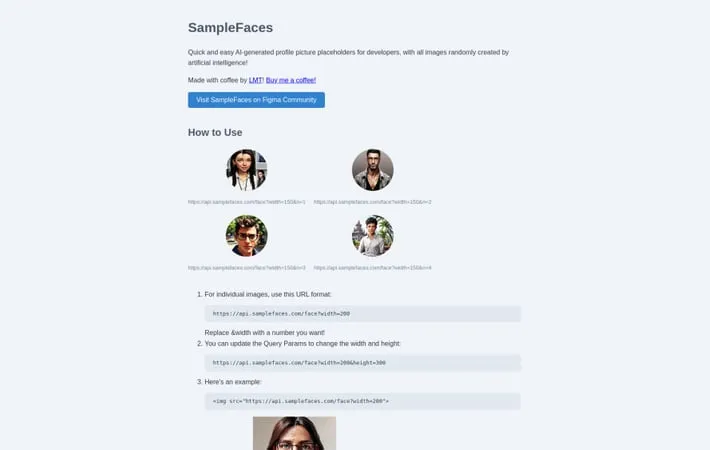
About SampleFaces
SampleFaces.com is a developer-focused platform that offers quick and easy access to AI-generated profile picture placeholders. Created by LMT, this service aims to simplify web development and design processes by providing realistic, randomly generated avatar images that can be instantly integrated into projects. The platform generates unique facial images powered by artificial intelligence, making it an ideal resource for developers, designers, and project teams who need placeholder profile pictures.
Key Features
SampleFaces is a web service that provides AI-generated profile pictures specifically designed for developers and designers. It offers instantly generated, high-resolution avatars that can be easily integrated into projects through a simple API URL structure, featuring customizable dimensions and fast loading times thanks to webp format and Cloudflare's CDN. Customizable Image Dimensions: Users can adjust width and height of images through URL query parameters to fit their specific needs Simple API Integration: Easy-to-use URL-based API that allows developers to fetch random AI-generated faces with simple HTTP requests High Performance Delivery: Utilizes webp format and Cloudflare's CDN for lightning-fast image loading and delivery Multiple Image Support: Ability to generate multiple unique faces using the 'n' parameter in the URL structure
Use Cases
Web Development Prototyping: Quick implementation of realistic user avatars in website mockups and prototypes User Interface Design: Creating realistic user lists or comment sections in design presentations and demos Project Team Visualization: Representing team members or user personas in project documentation and presentations
Pros
Completely free to use Fast loading and delivery Simple integration process
Cons
Limited control over specific facial features Currently in early stages of development
How to Use
Access the API endpoint: Use the base URL: https://api.samplefaces.com/face
Generate a single face image: Add the width parameter to specify image size: https://api.samplefaces.com/face?width=200
Customize image dimensions: Optionally add height parameter along with width: https://api.samplefaces.com/face?width=200&height=300
Embed in HTML: Use the URL in an HTML img tag:
Generate multiple unique faces: Add the 'n' parameter with increasing numbers to get different faces: https://api.samplefaces.com/face?width=150&n=1, n=2, n=3 etc.
Implement in projects: Integrate the generated faces into your web development projects as placeholder avatars and profile pictures
Official Website
Visit https://samplefaces.com/ to learn more.
