

Reclaim AI
About Reclaim AI
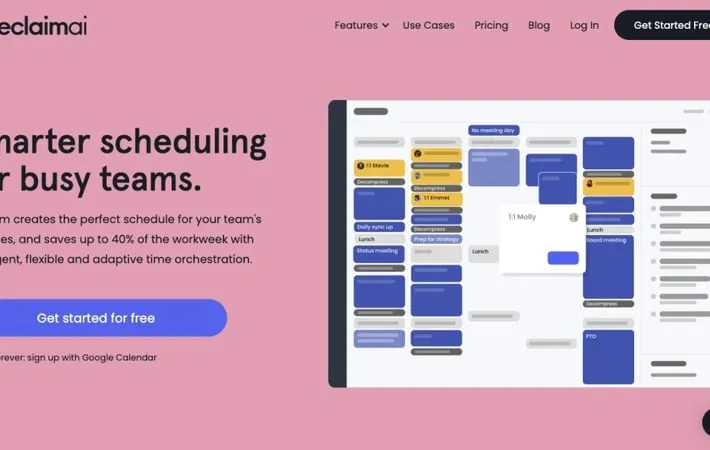
Reclaim AI is an intelligent calendar management tool designed to help busy professionals and teams make the most of their time. It integrates with Google Calendar and other popular productivity apps to automate scheduling, defend focus time, and balance work and personal commitments. Reclaim uses artificial intelligence to dynamically adjust your schedule as new meetings and tasks arise, ensuring you always have time for your most important work while maintaining flexibility.
Key Features
Reclaim AI is an intelligent scheduling assistant that optimizes calendars for better productivity and work-life balance. It automatically schedules tasks, habits, meetings, and breaks around existing calendar events, syncs multiple calendars, provides smart meeting scheduling, and offers time tracking and analytics. The AI adapts to changes in schedules, reschedules flexibly, and helps users prioritize their time effectively. Smart Task Scheduling: Automatically schedules tasks from various task management tools into your calendar, adapting to changes and prioritizing based on deadlines and importance. Flexible Habits: Creates recurring events that adapt to your changing schedule, ensuring you maintain routines without rigidly blocking time. Smart Meetings: Finds the best time for meetings across all attendees' schedules, with automatic rescheduling when conflicts arise. Calendar Sync: Syncs multiple calendars to show true availability across personal and work schedules while maintaining privacy. Time Tracking & Analytics: Provides insights into how time is spent across meetings, tasks, and personal commitments, helping identify productivity trends.
Use Cases
Executive Time Management: Helps executives balance multiple priorities, schedule important tasks, and maintain work-life balance despite packed schedules. Project Management: Assists project managers in allocating time for various tasks, scheduling team meetings, and tracking time spent on different projects. Sales Team Coordination: Enables sales teams to efficiently schedule client meetings, allocate time for follow-ups, and balance prospecting with other responsibilities. Remote Team Collaboration: Facilitates scheduling across different time zones, ensures adequate overlap for team meetings, and helps maintain work-life boundaries for remote workers. Personal Productivity: Aids individuals in managing personal and professional commitments, building healthy habits, and making time for important but non-urgent tasks.
Pros
Saves time by automating scheduling and rescheduling tasks and meetings Improves work-life balance by intelligently allocating time for personal commitments and habits Increases productivity by optimizing schedules and reducing time spent on calendar management Provides valuable insights into time usage through analytics
Cons
May have a learning curve for users new to AI-powered scheduling tools Effectiveness depends on accurate input and regular updates of tasks and priorities Some users might find the automatic scheduling less flexible than manual calendar management
How to Use
Sign up for Reclaim AI: Go to reclaim.ai and click 'Get Started' to sign up for a free account using your Google account. Connect your calendars: Allow Reclaim to access your Google Calendar. You can also sync other calendars like personal or work calendars. Set up your habits: Create recurring events for things you want to do regularly, like exercise or focused work time. Reclaim will automatically schedule these. Add your tasks: Input your to-do list items as tasks in Reclaim, including estimated duration and due dates. Reclaim will find time to schedule these. Configure smart meetings: Set up recurring 1:1 meetings or team meetings that Reclaim will automatically schedule at optimal times. Create scheduling links: Generate custom scheduling links to share your availability with others for easy meeting booking. Set up time tracking: Enable time tracking to analyze how you spend your time across meetings, tasks, and habits. Customize your settings: Adjust settings like working hours, buffer time between meetings, and task scheduling preferences. Integrate with other tools: Connect Reclaim with tools like Slack, Zoom, Asana, etc. to further streamline your workflow. Use the planner: Review and adjust your auto-generated schedule in the Reclaim planner as needed.
Official Website
Visit https://reclaim.ai/ to learn more.
