

PixVerse V3: Pixverse AI Venom
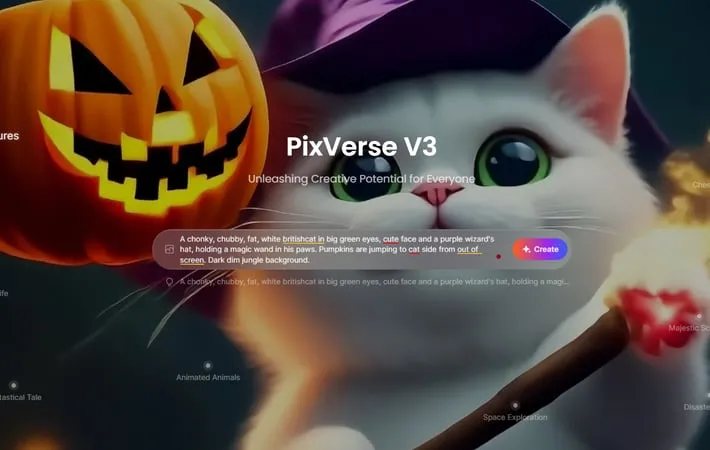
About PixVerse V3: Pixverse AI Venom
Latest Update of PixVerse V3: Developed by AiSi Technology, PixVerse has significantly advanced its capabilities with the recent release of PixVerse V3 on October 29, 2024. This version introduces remarkable features such as enhanced prompt accuracy, allowing for precise video generation that aligns closely with user intentions. It supports multiple aspect ratios, catering to diverse content formats, and includes a revamped Style feature offering both Anime and Realistic options. Notably, the Lipsync capability enables characters to speak in sync with audio, enhancing storytelling. Additionally, PixVerse V3 introduces various creative effects, including seasonal themes like Halloween transformations. Following its launch, the Pixverse AI Venom effects quickly gained popularity on platforms like TikTok and Instagram, sparking viral trends such as the #VenomTransformationChallenge. This surge in user engagement underscores PixVerse's role as a leading AI-driven tool for content creators, empowering them to craft professional-quality videos effortlessly.
Key Features
PixVerse is an innovative AI-powered video creation platform that allows users to transform text, images, and characters into high-quality videos. It offers features like text-to-video, image-to-video, character-to-video generation, video upscaling, and a community showcase. PixVerse aims to make video creation accessible to everyone through its intuitive interface and diverse style options. Text-to-Video Generation: Convert text prompts into dynamic video content, with options to customize style, aspect ratio, and exclude unwanted elements. Image-to-Video Transformation: Animate static images into videos, bringing illustrations and photos to life with motion. Character-to-Video Creation: Generate videos featuring consistent characters across multiple scenes, ideal for storytelling and marketing campaigns. Video Upscaling: Enhance the quality and resolution of existing videos, improving older or low-resolution content. Community Showcase: Explore and draw inspiration from popular videos created by other users in the PixVerse community.
Use Cases
Marketing and Advertising: Create engaging video ads and promotional content quickly and cost-effectively. Education and E-learning: Develop animated educational videos and explanatory content to enhance learning experiences. Social Media Content Creation: Generate eye-catching short-form videos for platforms like TikTok, Instagram, and YouTube. Storytelling and Entertainment: Produce animated stories, music videos, or visual narratives for creative projects. Presentations and Business Communication: Enhance presentations with dynamic video elements and motion graphics.
Pros
User-friendly interface suitable for beginners and professionals Diverse range of video styles and customization options Cost-effective solution with free-to-use plans available Rapidly evolving platform with frequent updates and new features
Cons
Limited video length in current iterations Occasional issues with facial details and movement fluidity Processing times can be long, especially for upscaling Still in beta, so some features may be unstable or limited
How to Use
Visit the PixVerse website: Go to https://pixverse.ai/ and click on 'Try PixVerse' to get started. Sign up or log in: Create an account or log in with your existing credentials. Choose creation method: Select from 'Text to Video', 'Image to Video', or 'Character to Video' options. Enter your prompt: For text-to-video, type a detailed description of the video you want to create. Select style and settings: Choose the desired style (e.g., realistic, anime, 3D animation) and adjust settings like aspect ratio and video length. Generate the video: Click the generate button and wait for PixVerse AI to create your video. Review and edit: Once generated, review your video and use editing tools if needed. Download or share: Download your created video or share it directly from the platform. Explore community creations: Browse the 'Showcase' or 'Creations from Community' sections for inspiration. Manage credits: Keep track of your credit usage. Each video generation typically uses 10 credits.
Official Website
Visit https://pixverse.ai/ to learn more.
