

OpusClip Captions
About OpusClip Captions
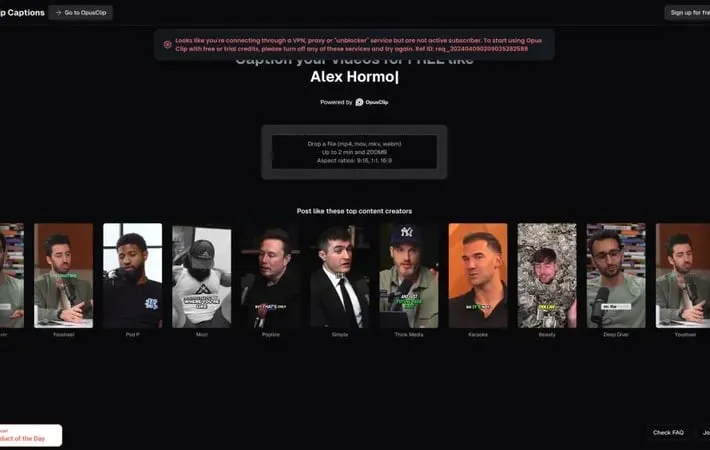
OpusClip Captions is an innovative online tool that uses artificial intelligence to automatically generate and add captions to video content. It allows users to easily create professional-looking captions for short-form videos like TikToks, Instagram Reels, and YouTube Shorts without any manual transcription work. The tool supports multiple video formats and aspect ratios, and offers customization options for caption style, positioning, and animations. OpusClip Captions aims to help content creators boost engagement and make their videos more accessible to a wider audience.
Key Features
OpusClip Captions is a free AI-powered tool that automatically adds captions to videos. It supports multiple video formats and aspect ratios, offers customization options for captions including fonts and styles, and allows users to easily edit and refine the auto-generated captions. The tool is designed to enhance video accessibility and engagement across social media platforms. AI-Powered Caption Generation: Automatically transcribes and syncs captions with video content using advanced AI technology. Multiple Format Support: Compatible with various video formats (mp4, mov, mkv, webm) and aspect ratios (9:16, 1:1, 16:9). Customizable Caption Styling: Offers options to customize font, color, size, and positioning of captions to match brand aesthetics. Easy Editing Interface: Provides a user-friendly interface to review and edit auto-generated captions for accuracy. Free Usage: Offers free credits for users to caption their videos without cost barriers.
Use Cases
Social Media Content Creation: Quickly add engaging captions to short-form videos for platforms like TikTok, Instagram Reels, and YouTube Shorts. Educational Content: Enhance accessibility and comprehension of educational videos by adding accurate captions. Marketing and Advertising: Create more engaging video ads with eye-catching captions to increase viewer retention and conversion rates. Multilingual Content Distribution: Easily create captioned versions of videos in multiple languages to reach a global audience.
Pros
Free to use with signup credits AI-powered for quick and accurate caption generation Supports multiple video formats and aspect ratios Offers customization options for caption styling
Cons
Limited to 2-minute videos and 200MB file size in free version May require manual editing for perfect accuracy Dependent on internet connection for AI processing
How to Use
Go to the OpusClip Captions website: Visit https://clip.opus.pro/captions in your web browser Upload your video: Drop or select a video file (mp4, mov, mkv, webm) up to 2 minutes long and 200MB in size Select aspect ratio: Choose between 9:16, 1:1, or 16:9 aspect ratios for your captioned video Wait for AI processing: The AI will automatically generate captions for your video Review and edit captions: Check the auto-generated captions and make any necessary edits or adjustments Customize caption style: Adjust the font, color, size, and positioning of your captions as desired Preview the result: Watch a preview of your video with the added captions Download or share: Download your captioned video or share it directly to social media platforms
Official Website
Visit https://clip.opus.pro/captions to learn more.
