
NightCafe Creator
About NightCafe Creator
NightCafe Creator is an AI-powered art generation platform founded in 2019 with the mission of democratizing art creation. It offers a user-friendly interface where anyone, regardless of artistic skill, can create unique digital artworks using various AI algorithms like Stable Diffusion, DALL-E 3, and Neural Style Transfer. The platform combines powerful AI technology with a thriving community aspect, allowing users to share creations, participate in daily challenges, and collaborate with other AI artists.
Key Features
NightCafe Creator is a free AI art generator platform that allows users to create, share, and explore AI-generated artwork using multiple algorithms like Stable Diffusion, DALL-E, and VQGAN+CLIP. It offers a vibrant community for collaboration, daily challenges, and discussions, with both web and mobile interfaces for easy access. Multiple AI Algorithms: Offers various AI models including Stable Diffusion, DALL-E 3, SDXL, and thousands of community-trained models for diverse art creation. Community Engagement: Provides a platform for users to share creations, participate in daily challenges, and collaborate in chat rooms. Free Base Usage: Allows unlimited base Stable Diffusion generations for free, with daily credits for more advanced features. Cross-Platform Accessibility: Available on web and mobile devices, allowing creation and review of artworks from any device.
Use Cases
Digital Art Creation: Artists and hobbyists can generate unique digital artworks using AI algorithms. Content Marketing: Marketers can create eye-catching visuals for social media posts and marketing materials. Educational Tool: Teachers and students can explore AI-generated art as part of technology and art education. Creative Inspiration: Writers, designers, and other creatives can use the platform to generate ideas and inspiration for their projects.
Pros
Free base usage with daily credits Diverse AI algorithms and community-trained models Strong community features for collaboration and sharing
Cons
Advanced features require credits or subscription Copyright laws for AI-generated art are still evolving May not offer some specialized features like Custom Stable Diffusion
How to Use
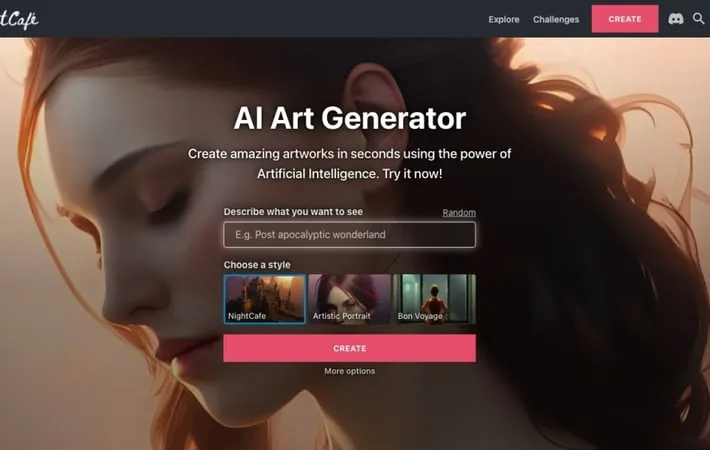
Sign up or log in: Go to the NightCafe Creator website and create an account or log in if you already have one. Click 'Create': On the main menu, click the 'Create' button to start generating AI art. Choose a creation method: Select from options like Stable Diffusion, DALL-E 3, or other AI models. Enter a text prompt: Type in a description of the image you want to generate in the text prompt field. Adjust settings (optional): Customize options like resolution, number of images, etc. if desired. Generate the image: Click the button to start the AI generation process. Review and edit: Once generated, review your image and use tools to enhance or modify if needed. Save or share: Download your creation, share it on the NightCafe community, or use it in challenges.
Official Website
Visit https://creator.nightcafe.studio/ to learn more.
