
NaturalReader
About NaturalReader
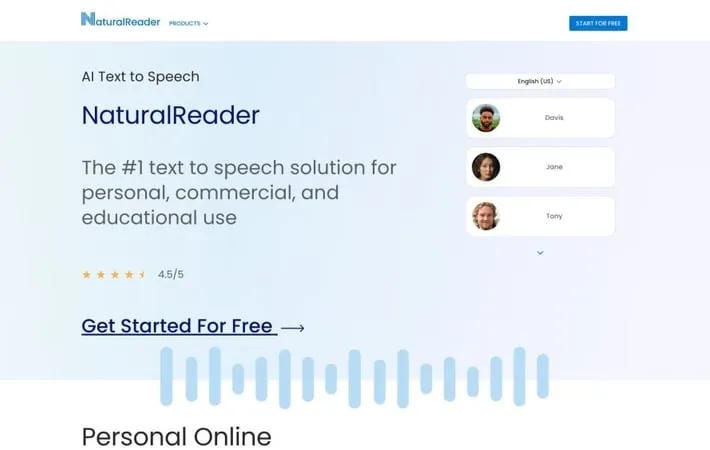
NaturalReader is a comprehensive text-to-speech solution that uses advanced AI technology to convert written content into high-quality audio. It offers personal and commercial use options through web apps, mobile apps, Chrome extensions, and desktop software. NaturalReader supports over 50 languages with 200+ AI voices and can handle various file formats including PDFs, ebooks, websites, and images. The platform is designed to enhance accessibility, productivity, and content consumption for students, professionals, and individuals with reading difficulties.
Key Features
NaturalReader is a versatile text-to-speech software that converts various text formats into natural-sounding audio using AI voices. It offers web, mobile, and browser extension apps with features like OCR, multiple languages and voices, customizable reading speeds, and document annotation. The platform caters to personal, educational, and commercial use cases with different subscription tiers. AI Voice Technology: Uses advanced AI to generate natural-sounding voices in 50+ languages with over 200 voice options Multi-Format Support: Reads aloud PDFs, web pages, ebooks, and 20+ other document formats OCR Functionality: Converts images and scanned documents into readable text using optical character recognition Cross-Platform Accessibility: Available as web app, mobile app, and browser extension for seamless use across devices Customization Options: Offers features like adjustable reading speed, voice selection, and pronunciation editor
Use Cases
Education: Assists students with reading difficulties or visual impairments in accessing written content Content Creation: Helps content creators generate voiceovers for videos, podcasts, and e-learning materials Productivity: Enables multitasking by converting text to audio for listening while commuting or doing other tasks Proofreading: Aids writers and editors in catching errors by listening to their written work read aloud Accessibility: Provides an alternative way to consume written content for people with visual impairments or reading difficulties
Pros
Wide range of natural-sounding AI voices Supports multiple document formats and languages Available on various platforms and devices Offers both free and paid versions with different feature sets
Cons
Some advanced features only available in paid versions May have limitations with DRM-protected content OCR functionality can be inconsistent with certain document types
How to Use
Go to the NaturalReader website: Visit www.naturalreaders.com in your web browser Choose your preferred platform: Select between the online web app, mobile app, or Chrome extension Create an account or log in: Sign up for a free account or log in if you already have one Add text to be read: Click the '+' button to add text, or upload a document (PDF, Word, etc.) Select a voice: Choose from over 100 AI voices in 50+ languages Adjust settings: Customize reading speed, volume, and other preferences Press play: Click the play button to have NaturalReader read the text aloud Use additional features: Explore options like converting to MP3, using OCR for images, or the miniboard for reading from other applications
Official Website
Visit https://www.naturalreaders.com/ to learn more.
