
My Dreams Studio - NSFW AI Image Generator
About My Dreams Studio - NSFW AI Image Generator
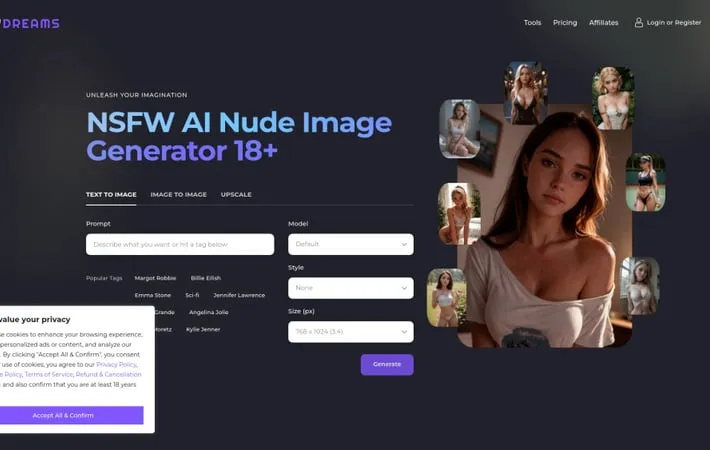
My Dreams Studio is an online platform that utilizes artificial intelligence to generate NSFW (Not Safe For Work) images and artwork. It provides users with tools to create customized adult and erotic content through text prompts, image-to-image transformation, and upscaling features. The platform is designed for adults 18+ and offers various AI models, styles, and customization options to bring users' explicit fantasies and ideas to life visually.
Key Features
My Dreams Studio is an AI-powered NSFW image generator that allows users to create adult content and nude images using text prompts or existing images. It offers various AI models, styles, and customization options to generate high-quality, realistic NSFW art and photos. The platform provides both free and paid subscription plans with features like text-to-image, image-to-image, and upscaling capabilities. Multiple AI models: Access to various AI models specialized in generating different styles of NSFW content Customization options: Ability to adjust image size, style, and use LoRA models for fine-tuned results Text and image inputs: Generate images from text prompts or modify existing images High-resolution output: Create high-quality, detailed NSFW images suitable for various uses
Use Cases
Adult entertainment content creation: Generate custom NSFW images and art for adult websites and platforms Personal fantasy exploration: Create personalized adult content based on individual preferences and imagination Adult game asset creation: Produce NSFW character designs and scenes for adult-oriented video games Erotic literature illustration: Generate visual accompaniments for erotic stories and novels
Pros
Wide range of customization options High-quality, realistic output Multiple input methods (text and image)
Cons
Potential ethical concerns around AI-generated adult content Usage limits on free tier Requires careful prompt engineering for best results
How to Use
1. Go to the website: Navigate to https://mydreams.studio/nsfw-adult-ai-image-generator 2. Select generation mode: Choose between 'Text to Image', 'Image to Image', or 'Upscale' modes 3. Upload image (optional): For 'Image to Image' or 'Upscale' modes, upload a starting image. Higher resolution images with clear features are recommended. 4. Enter prompt: Type your desired text prompt describing the image you want to generate 5. Choose model and style: Select an AI model and style from the dropdown menus 6. Set image parameters: Adjust image size, scale factor, and other settings as desired 7. Generate image: Click the 'Generate' button to create your AI-generated NSFW image 8. View results: Your generated image will appear in the results area below
Official Website
Visit https://mydreams.studio/nsfw-adult-ai-image-generator to learn more.
