

MultipleWords
About MultipleWords
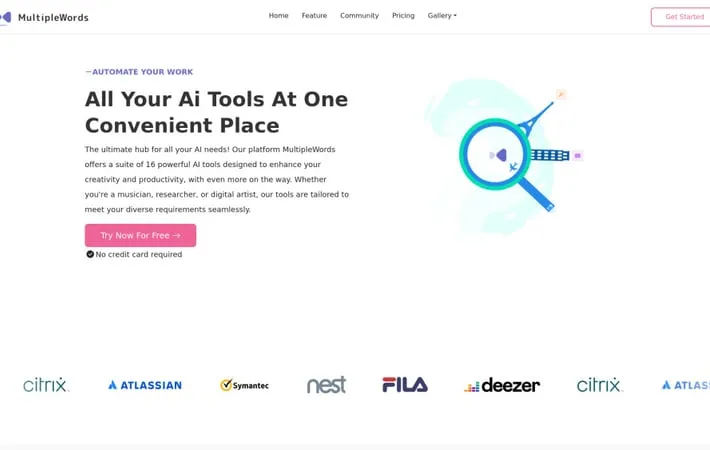
MultipleWords is an all-in-one AI-powered creative platform that brings together a suite of 16 different tools designed to enhance productivity and creativity. It serves as a centralized hub for content creators, offering capabilities across music generation, video editing, image manipulation, research, and more. The platform is accessible through web browsers as well as dedicated mobile and desktop applications for Android, iOS, Windows and macOS.
Key Features
MultipleWords is a comprehensive AI-powered platform offering 16 diverse tools for content creation and manipulation across audio, video, and image domains. The platform provides cross-platform accessibility through web, mobile, and desktop applications, with features including music generation, video editing, image manipulation, research assistance, and subtitle generation. It offers free credits for users to test the tools and includes extensive customer support. Multi-Platform Accessibility: Available across web browsers, mobile apps (iOS/Android), and desktop applications (Windows/macOS) for seamless access anywhere Comprehensive AI Tool Suite: 16 different AI tools spanning audio (music generation, vocal removal), video (background removal, dubbing, shorts generation), and image (upscaling, background removal, generation) manipulation Robust Support System: 24/7 help center, email support, live chat during business hours, and video tutorials for user guidance Free Trial Credits: Offers free credits for users to test any of the 16 AI tools before committing to a subscription
Use Cases
Content Creation: Social media managers and content creators can use the platform for generating and editing multimedia content across different formats Music Production: Musicians and producers can leverage the audio tools for music generation, vocal removal, and music copying Marketing and Advertising: Marketing professionals can create and edit promotional videos, images, and other content using the AI tools Research and Documentation: Researchers can utilize the AI research tool and subtitle generator for academic or professional documentation
Pros
Comprehensive suite of tools covering multiple content types Cross-platform availability and accessibility Strong customer support system Risk-free trial with free credits
Cons
Requires subscription after free credits are used May have learning curve for non-tech savvy users
How to Use
Sign Up & Get Free Credits: Create an account on MultipleWords to receive free trial credits that can be used across any of their 16 AI tools. No credit card required. Choose Your Platform: Access MultipleWords through your preferred platform - web browser, mobile apps (iOS/Android), or desktop apps (Windows/Mac) Select an AI Tool: Pick from their suite of 16 AI tools across categories like audio (music generation, vocal removal), video (background removal, morphing, dubbing), images (background removal, upscaling, generation), and more Follow Tool-Specific Tutorials: Each tool has step-by-step video tutorials available on their YouTube channel to help you learn how to use it effectively Get Support if Needed: Access help through their 24/7 help center, email support at , or live chat during business hours if you need assistance Use Across Devices: Seamlessly switch between devices while working on your projects since MultipleWords syncs across all platforms Subscribe if Satisfied: After using the free trial credits, subscribe to continue accessing the full suite of AI tools at prices 30% lower than competitors
Official Website
Visit https://multiplewords.com/ to learn more.
