

Mobicip Parental Control App
About Mobicip Parental Control App
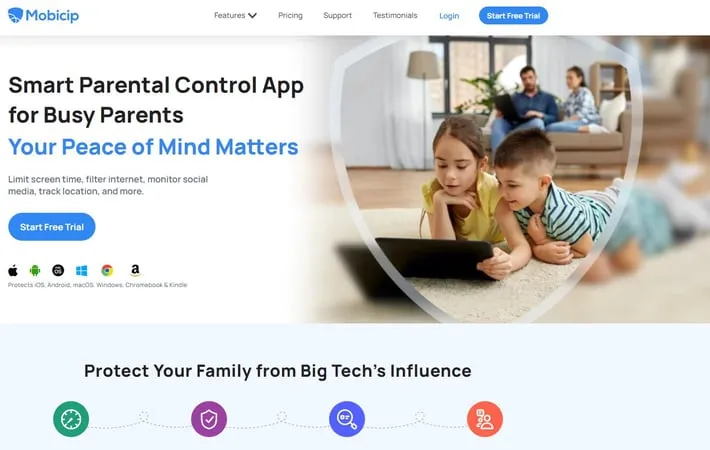
Mobicip is a smart parental control app designed for busy parents who want to protect their children's online experiences. It offers a wide range of features to manage screen time, filter internet content, monitor social media activity, track location, and set limits on app usage. Mobicip works across multiple devices and platforms including iOS, Android, Windows, Mac, Chromebook, and Kindle, providing a unified solution for families with different types of devices.
Key Features
Mobicip is a comprehensive parental control app that works across multiple platforms including iOS, Android, Windows, Mac, Chromebook and Kindle. It offers features like screen time management, web filtering, app blocking, location tracking, social media monitoring, and activity reporting. Parents can set time limits, block inappropriate content, track their child's location, monitor social media usage, and receive detailed activity reports. Cross-platform support: Works on iOS, Android, Windows, Mac, Chromebook and Kindle devices Screen time management: Set daily/weekly limits and schedules for device and app usage Content filtering: Block inappropriate websites and apps based on age-appropriate settings Location tracking: Track child's location and set up geofences for frequented spots Social media monitoring: Monitor conversations and activity on major social media platforms Detailed reporting: Get comprehensive reports on child's online activity and app usage
Use Cases
Managing screen time for young children: Parents can set daily limits and schedules to ensure balanced device usage for kids Protecting teens from inappropriate content: Block access to adult websites and apps to keep teens safe online Monitoring social media activity: Keep an eye on teens' social media conversations to prevent cyberbullying or predatory behavior Tracking location of children: Know where your kids are and get alerts when they enter or leave designated areas Managing app usage: Limit time spent on specific apps like games or social media
Pros
Works across multiple platforms and devices Comprehensive set of parental control features Customizable settings for different age groups Detailed activity reporting
Cons
Some features only available on higher-priced plans Social media monitoring limited to only 3 platforms May not work as well on newer Android versions for YouTube filtering
How to Use
Sign up for a Mobicip account: Go to the Mobicip website or download the app and create an account by providing your email address and creating a password. Install Mobicip on your child's devices: Download and install the Mobicip app on all devices you want to monitor (iOS, Android, Windows, Mac, Chromebook, Kindle). Set up profiles for your children: Create individual profiles for each child in your Mobicip account, specifying their age and other details. Configure screen time limits: Set daily or weekly screen time limits for each child's profile. You can also create custom schedules for different activities. Set up content filtering: Use Mobicip's age-based or custom filtering options to block inappropriate websites and content. Configure app blocking: Choose which apps to block or limit access to on your child's devices. Enable location tracking: Turn on the location tracking feature to monitor your child's whereabouts and set up geofences if desired. Set up social media monitoring: Configure monitoring for supported social media platforms (Instagram, Snapchat, Facebook) to track your child's activity. Review activity reports: Regularly check the activity reports provided by Mobicip to stay informed about your child's online behavior and device usage. Adjust settings as needed: Modify restrictions, time limits, and other settings as your child grows or circumstances change.
Official Website
Visit https://www.mobicip.com/ to learn more.
