

ââMicrosoft Copilot
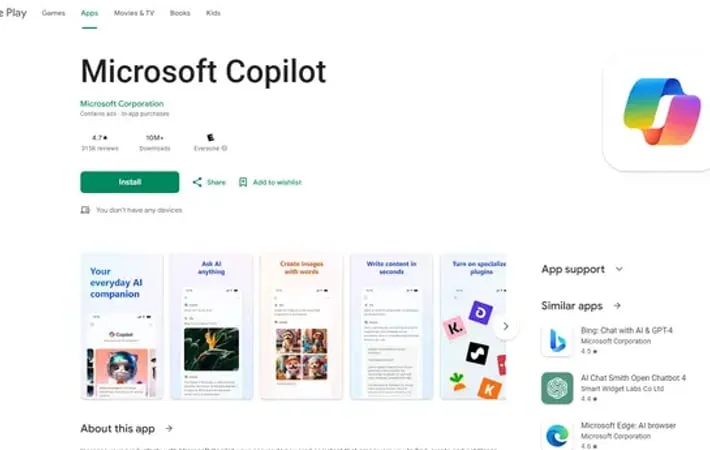
About ââMicrosoft Copilot
Microsoft Copilot is a pioneering AI companion designed to empower users in their daily tasks and creative endeavors. Powered by advanced OpenAI models like GPT-4 and DALL-E 3, Copilot serves as a versatile assistant capable of answering questions, generating images, and assisting with various productivity tasks. It integrates seamlessly with Microsoft 365 applications, offering a comprehensive AI-enhanced experience across work and personal life.
Key Features
Microsoft Copilot is an AI-powered assistant that enhances productivity and creativity across various tasks. It utilizes advanced language models and image generation capabilities to help users find information, create content, and complete tasks more efficiently. The app offers features like AI chat, image creation, writing assistance, and integration with Microsoft 365 apps for a comprehensive AI-enhanced experience. AI Chat Assistant: Engage in natural language conversations to get quick, precise answers and information on a wide range of topics. AI Image Generation: Create high-quality visuals from text prompts using DALL-E 3 technology, enabling users to bring their creative ideas to life. Writing Support: Get assistance with drafting emails, summarizing texts, creating content, and optimizing writing across multiple languages. Microsoft 365 Integration: Seamlessly use Copilot within Microsoft productivity apps like Word, Excel, PowerPoint, and Outlook for enhanced workflow. Enterprise Mode: Offers extra protection for personal and company data in enterprise chat scenarios.
Use Cases
Content Creation: Assist writers, marketers, and social media managers in generating ideas, drafting content, and creating visuals for various platforms. Academic Research: Help students and researchers find information, summarize complex texts, and generate ideas for papers and projects. Business Productivity: Enhance efficiency in creating presentations, analyzing data, and drafting professional communications in corporate settings. Creative Design: Support graphic designers and artists in generating visual concepts, exploring new styles, and creating custom illustrations or backgrounds. Language Learning: Assist language learners with translations, explanations, and practice conversations in multiple languages.
Pros
Versatile AI assistant with both text and image generation capabilities Integration with Microsoft 365 apps for seamless productivity Advanced language models provide quick and detailed responses Regular updates and improvements to AI capabilities
Cons
Some users report occasional sign-in issues and app glitches Image generation can sometimes be overly censored or inconsistent Premium features require a subscription, which may be costly for some users Limitations on queries about certain public figures or topics
How to Use
Download and install the app: Go to the Google Play Store and download the free Microsoft Copilot app for Android devices. Sign in to your Microsoft account: Open the app and sign in with your Microsoft account credentials. Start a conversation: Tap the chat box at the bottom of the screen to start a new conversation with Copilot. Ask questions or give prompts: Type your questions, requests, or prompts in natural language. Copilot can help with writing, research, analysis, and more. Generate images: Use the image generation feature powered by DALL-E 3 to create custom images from text descriptions. Review and refine responses: Read Copilot's responses and ask follow-up questions or provide more context to refine the results. Use specialized features: Try features like code generation, language translation, or text summarization as needed for your tasks. Consider upgrading to Copilot Pro: For faster performance and additional features, you can upgrade to Copilot Pro within the app for $20/month after a free trial.
Official Website
Visit https://play.google.com/store/apps/details?id=com.microsoft.copilot&hl=en to learn more.
