
Krea AI
About Krea AI
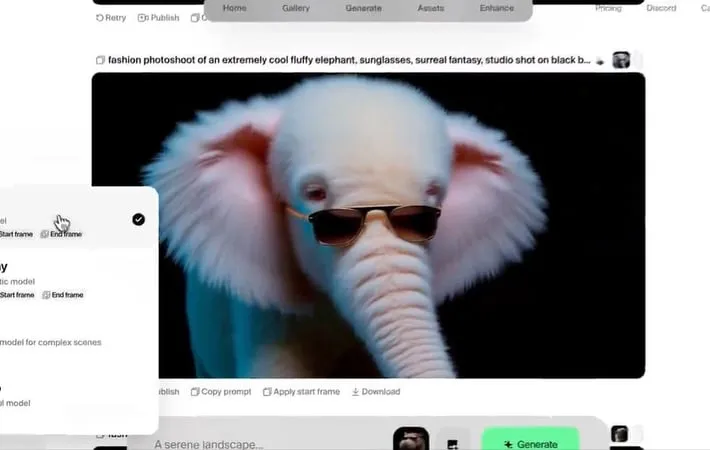
Krea AI is an innovative AI-driven tool that enables users to create and improve images and videos using text prompts, featuring a unique real-time canvas editor for inserting shapes and doodles to refine outputs. Its user-friendly interface simplifies the creation of high-quality visuals. On October 10, 2024, Krea AI announced plans to launch an integrated video model combining technologies from Runway, Luma AI Dream Machine, Kling AI, and Hailuo AI. This upcoming model, currently in testing, promises to deliver a comprehensive, one-stop solution for AI video creators seeking to streamline their production process.
Key Features
KREA offers a comprehensive set of features for generating and enhancing images and videos. Real-time Image Generation: Generate images in real-time based on text prompts. Real-time Canvas Editor: Insert shapes and doodles to refine the output. Image Enhancement and Upscaling: Enhance and upscale images up to 8x the original size. Video Generation: Generate videos based on text prompts or uploaded images. AI Training: Train AI models with custom datasets. Mini Apps: Access mini apps like Logo Illusions and AI Patterns.
Use Cases
Design and Art: Use KREA to generate high-quality visuals for design and art projects. Marketing and Advertising: Create stunning visuals for marketing and advertising campaigns. Education and Training: Use KREA to generate interactive and engaging educational content.
Pros
Generates images in real-time Offers real-time editing and refinement Enhances and upscales images Generates videos Free plan available Active community on Discord
Cons
Steep learning curve Limited features in the free plan
How to Use
Step 1: Register on the website: Open Krea.ai on your browser and click on Sign Up. You can register using your email or Google account. Step 2: Choose Your Tool: Select the tool you want to use, such as the real-time canvas editor or video generator. Step 3: Input Your Prompt: Enter your text prompt, shapes, and doodles to generate your image or video. Step 4: Refine Your Output: Use the real-time canvas editor to refine your output and make any necessary changes. Step 5: Download Your Output: Download your generated image or video.
Official Website
Visit https://www.krea.ai/ to learn more.
