

ImgAI.site
About ImgAI.site
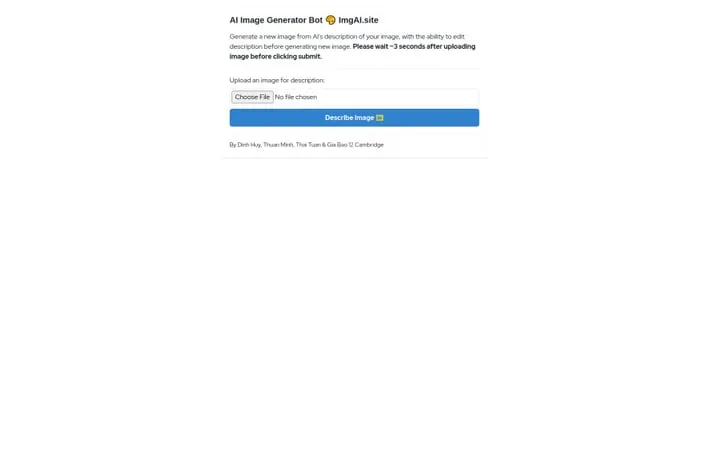
ImgAI.site is a web-based AI image generation and manipulation tool created by Dinh Huy, Thuan Minh, Thai Tuan & Gia Bao of Cambridge. The platform provides a simple interface for users to upload images and leverage AI technology to generate new variations and transformations based on image descriptions.
Key Features
ImgAI.site is an AI-powered image generation bot that allows users to upload images and receive AI-generated descriptions, which can then be edited to generate new images. The tool provides a simple interface where users wait approximately 3 seconds after uploading before submitting their request, making it accessible for basic image manipulation and generation tasks. Image Description Generation: Automatically analyzes uploaded images and generates textual descriptions of their content Description Editing: Allows users to modify the AI-generated descriptions before creating new images Image Generation from Text: Creates new images based on edited or original descriptions using AI technology
Use Cases
Content Creation: Helps content creators generate variations of existing images for social media and marketing materials Educational Tools: Assists in creating visual aids and educational materials by generating images from descriptions Creative Inspiration: Provides artists and designers with new perspectives and variations of their work through AI-generated interpretations
Pros
Simple and straightforward interface No registration required Quick processing time (3 seconds)
Cons
Limited feature set compared to other AI image tools Requires waiting period before submission
How to Use
Step 1: Visit ImgAI.site in your web browser Step 2: Click the upload button to select and upload an image from your device Step 3: Wait approximately 3 seconds after uploading for the AI to process the image Step 4: Review the AI's description of your uploaded image Step 5: Optionally edit the AI-generated description to customize it Step 6: Click the submit button to generate a new AI image based on the description Step 7: Wait for the AI to generate and display your new image
Official Website
Visit https://imgai.site/ to learn more.
