

Imaginify
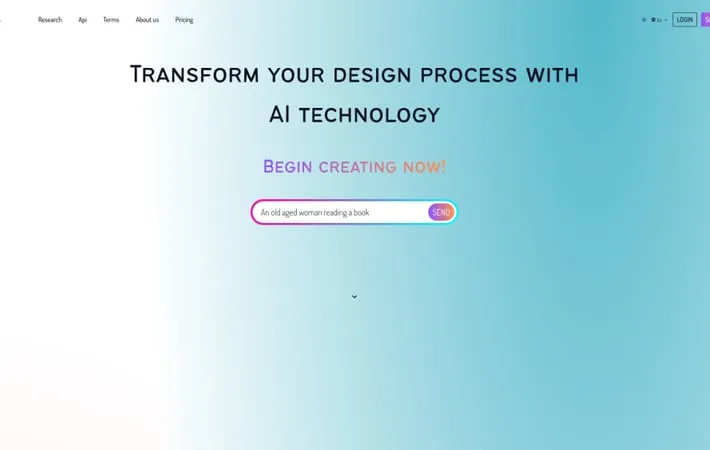
About Imaginify
Imaginify is an innovative AI-driven platform that revolutionizes the way users interact with and create visual content. It combines advanced image generation capabilities with powerful editing and optimization tools, making it an essential resource for designers, marketers, and content creators. With features ranging from AI image generation to background removal, object removal, image restoration, and more, Imaginify provides a versatile solution for a wide array of image-related tasks.
Key Features
Imaginify is an AI-powered SaaS platform for advanced image processing and generation. It offers features like image restoration, recoloring, object removal, generative filling, and background removal. The platform integrates secure payments, uses a credit system for premium features, and provides a user-friendly interface for both beginners and professionals to create and manipulate images using AI technology. AI Image Generation: Create unique images from text prompts using advanced AI algorithms. Image Manipulation Tools: Perform complex editing tasks like restoration, recoloring, object removal, and background removal with ease. Secure Payment Integration: Purchase credits and access premium features through a secure Stripe-powered payment system. User-Friendly Interface: Intuitive design suitable for both beginners and experienced users, with over 75 unique screens and 100+ customizable components. Transformation Management: Track and manage image transformations, facilitating detailed records and easy reversions when necessary.
Use Cases
Graphic Design: Create unique visuals for marketing materials, social media posts, and branding assets. E-commerce Product Photography: Enhance product images by removing backgrounds, adjusting colors, or generating lifestyle scenes. Content Creation: Generate custom illustrations or manipulate existing images for blogs, websites, and digital publications. Photo Restoration: Restore and enhance old or damaged photographs for personal or archival purposes. UI/UX Design: Create and customize interface elements and mockups for mobile and web applications.
Pros
Comprehensive suite of AI-powered image processing tools User-friendly interface suitable for both beginners and professionals Secure payment system and credit-based model for accessing premium features
Cons
May require purchase of credits for advanced features Dependence on AI algorithms could limit creative control in some scenarios
How to Use
Enter Your Prompt: Begin by entering a detailed descriptive prompt that captures your vision for the image you want to create. The more specific details you provide, the more accurate the results will be. Generate Your Image: Click the generate button to have the AI algorithms instantly create an image based on your prompt, bringing your idea to life with incredible detail and creativity. Refine & Download: Use the provided tools to fine-tune the generated image, such as removing the background or adjusting colors. Once you are satisfied with the result, download your final creation.
Official Website
Visit https://www.imaginifyapp.com/ to learn more.
