
Illustrate AI
About Illustrate AI
Illustrate AI is an innovative text-to-image generation tool offered by Design Bundles. It allows users to create custom digital artwork and illustrations simply by entering text prompts. Part of Design Bundles' Plus membership, Illustrate AI gives creatives, designers, and businesses the ability to quickly generate unique images for a variety of projects and purposes. The tool produces high-resolution images that come with commercial and print-on-demand licensing, making it suitable for both personal and professional use.
Key Features
Illustrate AI is an AI-powered image generation tool offered by Design Bundles that allows users to create high-resolution artwork from text prompts. It features unlimited generations, commercial licensing, and integration with Design Bundles' extensive library of digital assets. Users can craft detailed prompts, choose art styles, and quickly generate, edit and download custom illustrations for various creative projects. Text-to-Image Generation: Create custom artwork by inputting text descriptions that are transformed into visual images by AI High-Resolution Output: Generates high-quality images suitable for professional use and printing Commercial Licensing: Images come with commercial and print-on-demand licensing included for business use Unlimited Generations: No restrictions on the number of images users can create Art Style Selection: Choose from various artistic styles to customize the look of generated images
Use Cases
Graphic Design: Create custom illustrations for branding, marketing materials, and digital content Product Customization: Generate unique designs for print-on-demand products like t-shirts, mugs, and phone cases Concept Art: Quickly visualize ideas for characters, environments, and storyboards in entertainment industries Digital Crafting: Produce designs for digital crafts like SVG files, sublimation prints, and laser cutting templates Social Media Content: Create eye-catching visuals for social media posts, ads, and profile graphics
Pros
Integrated with Design Bundles' extensive asset library Commercial licensing included High-resolution output suitable for professional use Unlimited image generations
Cons
Requires subscription to Design Bundles Plus for full access May have limitations in generating highly specific or complex images Learning curve for crafting effective prompts to achieve desired results
How to Use
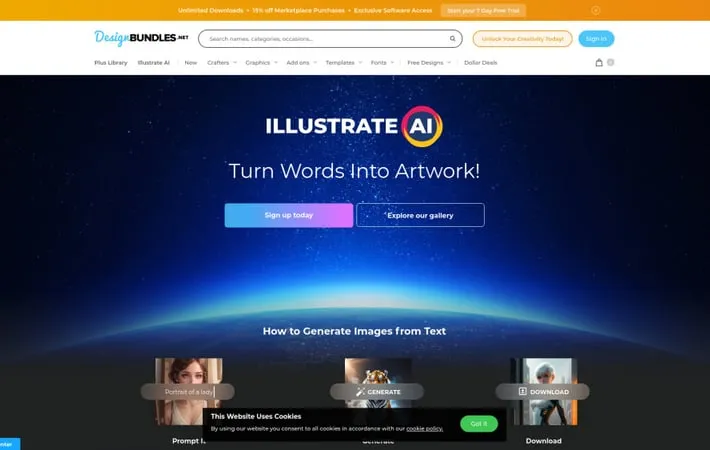
Sign up for Design Bundles Plus: Illustrate AI is available to Design Bundles Plus subscribers. Sign up for a Plus account to get access. Navigate to Illustrate AI: Once logged in, go to the Illustrate AI section on the Design Bundles website. Enter a text prompt: In the text box, enter a detailed description of the image you want to generate. Be as specific as possible about the subject, style, colors, etc. Click 'Generate': Click the 'Generate' button to have the AI create an image based on your text prompt. Review the generated image: The AI will produce an image matching your description. Review it to see if it meets your needs. Refine or regenerate if needed: If you're not satisfied, you can adjust your text prompt and generate again, or use editing tools to refine the image. Download the image: Once you're happy with the result, download the high-resolution image file. Use commercially: The generated images come with a commercial and print-on-demand license, so you can use them in your projects and products.
Official Website
Visit https://designbundles.net/illustrate-ai to learn more.
