

Icons8
About Icons8
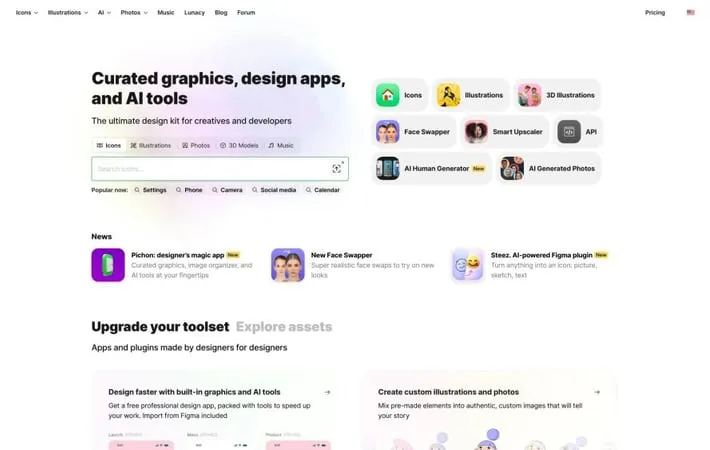
Icons8 is an all-in-one design toolkit that provides a vast library of digital assets and design tools. It offers a wide range of resources including icons, illustrations, stock photos, 3D models, royalty-free music, and AI-generated content. The platform caters to designers, developers, and creative professionals, offering both free and paid options. Icons8 also develops design software like Lunacy and plugins for popular design tools, making it a versatile solution for various design needs.
Key Features
Icons8 is a comprehensive design resource platform offering a vast library of icons, illustrations, photos, and 3D models, along with AI-powered tools for image editing and generation. It provides native apps, plugins, and APIs for seamless integration into design workflows, catering to both designers and developers with features like custom icon requests, background removal, and image upscaling. Extensive Asset Library: Access to a wide range of icons, illustrations, photos, and 3D models in various styles and formats. AI-Powered Tools: Smart features like background removal, image upscaling, and face swapping powered by artificial intelligence. Cross-Platform Compatibility: Native apps for Mac and Windows, plus plugins for design software like Figma, enabling seamless workflow integration. Developer-Friendly APIs: Robust APIs for integrating Icons8 assets and tools directly into applications and websites. Custom Asset Requests: Option to request custom icons or illustrations if needed assets are not found in the existing library.
Use Cases
UI/UX Design: Quickly access and implement consistent icons and illustrations for user interface designs across web and mobile applications. Marketing Collateral: Create visually appealing marketing materials using a combination of stock photos, illustrations, and icons. Software Development: Integrate Icons8 APIs to dynamically serve icons and graphics within applications, ensuring consistent visual elements. Content Creation: Enhance blog posts, social media content, and presentations with high-quality visuals and AI-generated elements. Branding Projects: Develop cohesive brand identities by utilizing consistent icon sets and customizable illustrations across various touchpoints.
Pros
Comprehensive all-in-one design resource platform AI-powered tools for advanced image manipulation Flexible licensing options for various use cases Regular updates and additions to asset libraries
Cons
Some advanced features require paid subscription Learning curve for utilizing all available tools and features Potential for overreliance on pre-made assets, limiting unique designs
How to Use
Go to the Icons8 website: Visit icons8.com in your web browser Search for icons: Use the search bar at the top of the page to find icons by keyword Browse icon styles: Explore different icon styles like iOS, Material Design, Windows, etc. Select an icon: Click on the icon you want to use Choose download options: Select size, format (PNG, SVG, etc.), and color options Download the icon: Click the download button to save the icon to your device Add attribution (for free use): Include a link to icons8.com on your website or project if using the free version Consider paid options: Explore paid plans for more formats, sizes, and no attribution requirements Try other tools: Explore additional tools like Lunacy, Mega Creator, or plugins for design software Join the community: Participate in the Icons8 forum or follow on social media for updates and tips
Official Website
Visit https://icons8.com/ to learn more.
