

Hypic
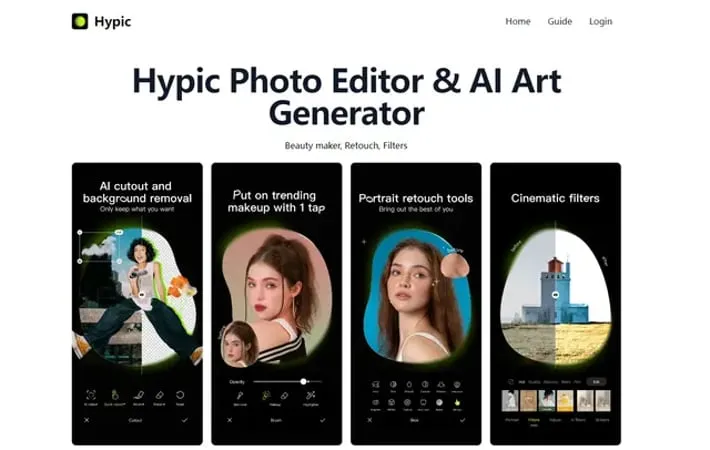
About Hypic
Hypic is a versatile and user-friendly photo editing application that combines traditional editing tools with cutting-edge AI technology. It provides users with a comprehensive suite of features for enhancing photos, applying artistic effects, creating AI-generated artwork, and designing custom posters. Whether you're a professional content creator or casual user, Hypic offers intuitive tools to transform your images and unleash your creativity.
Key Features
Hypic is a versatile AI-powered photo editing and art generation app that offers a wide range of features for enhancing images and creating stunning visual content. It combines professional editing tools with AI-driven effects, allowing users to retouch photos, apply filters, generate AI art, create posters, and more. The app focuses on natural-looking edits and provides an intuitive interface for both beginners and advanced users. AI-Enhanced Photo Editing: Utilizes artificial intelligence to automatically enhance photos, remove imperfections, and adjust facial features while maintaining a natural look. AI Art Generation: Transforms photos into various artistic styles like oil paintings, watercolors, or sketches using advanced AI algorithms. Extensive Filter Library: Offers a wide selection of filters and effects that are regularly updated to keep up with the latest visual trends. Poster Creation Tools: Provides templates and design tools for creating custom posters for various occasions, with easy text and image editing capabilities. Batch Editing: Allows users to apply edits and filters to multiple photos simultaneously, saving time for bulk editing tasks.
Use Cases
Social Media Content Creation: Influencers and marketers can use Hypic to create eye-catching visuals for Instagram, TikTok, and other platforms. Event Photography Enhancement: Photographers can quickly touch up and enhance large batches of event photos to deliver polished results to clients. Digital Art Experimentation: Artists can use the AI art generation features to explore new styles and create unique digital artworks. E-commerce Product Photography: Online sellers can improve product photos with professional-looking edits and filters to attract more customers. Personal Photo Album Enhancement: Individuals can easily improve their personal photos for preserving memories or sharing with friends and family.
Pros
User-friendly interface suitable for both beginners and advanced users Wide range of features combining traditional editing with AI-powered tools Regular updates with new filters and effects to keep up with trends Ability to create professional-looking edits quickly and easily
Cons
Some advanced features may require a premium subscription AI-generated results may not always match user expectations Potential for overuse of filters leading to unnatural-looking images May require a powerful device for optimal performance of AI features
How to Use
Download and install the app: Download Hypic from the App Store (iOS) or Google Play Store (Android) and install it on your device. Open the app and select a photo: Launch Hypic and either take a new photo or select an existing one from your gallery to edit. Apply basic edits: Use tools like crop, adjust brightness/contrast, and apply filters to enhance your photo. Use AI-powered features: Try AI features like Glowing Skin to smooth skin texture or Natural Shape to adjust facial features. Sculpt facial features: Use the Sculpt Face tool to refine specific facial features like eyebrows, nose, lips, or jaw. Apply aesthetic filters: Browse through Hypic's collection of filters and effects to further enhance your photo's look. Generate AI art: Use the AI art generation feature to transform your photo into different artistic styles like oil painting or watercolor. Create posters or collages: Utilize pre-made templates to design posters or create photo collages. Save and share: Once satisfied with your edits, save the final image and share it directly to social media platforms from within the app.
Official Website
Visit https://hypic.app/ to learn more.
