

Gizmo
About Gizmo
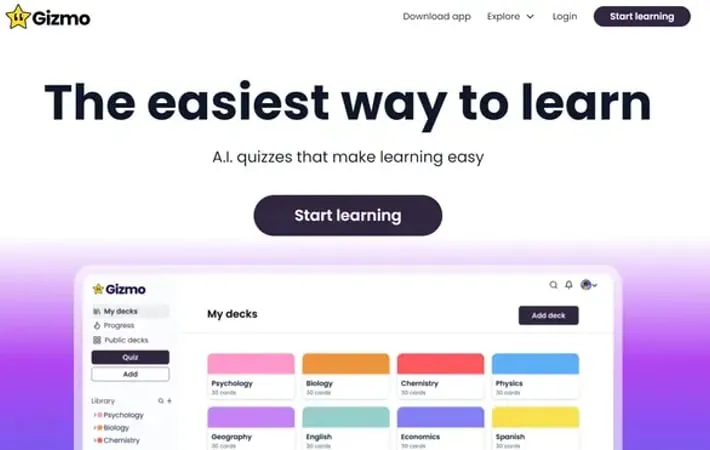
Gizmo, formerly known as Save All, is an innovative educational tool developed by Cambridge alumni that leverages artificial intelligence to transform the learning process. It aims to make studying easier and more engaging by automatically converting various types of learning materials into interactive flashcards and quizzes. Gizmo is designed for students of all levels, from high school to university, and covers a wide range of subjects.
Key Features
Gizmo is an AI-powered learning platform that transforms study materials into interactive flashcards and quizzes. It uses advanced techniques like spaced repetition and active recall to enhance learning and retention. The app allows users to import content from various sources, collaborate with peers, and track their progress through gamified features. AI-Generated Flashcards: Automatically converts study materials into interactive flashcards using artificial intelligence Spaced Repetition and Active Recall: Employs scientifically-proven learning techniques to optimize retention and recall Multi-Source Import: Supports importing content from various formats including PDFs, PowerPoints, YouTube videos, and more Collaborative Learning: Enables users to share study materials and quiz each other for enhanced engagement Gamified Experience: Turns studying into a game-like experience to increase motivation and enjoyment
Use Cases
Exam Preparation: Students can use Gizmo to efficiently prepare for exams across various subjects Language Learning: Language learners can create flashcards for vocabulary and grammar practice Professional Development: Professionals can use Gizmo to stay updated on industry knowledge and skills Academic Research: Researchers can organize and review complex information using AI-generated flashcards
Pros
Time-saving AI-powered flashcard creation Scientifically-backed learning techniques Engaging and motivating gamified approach Versatile content import options
Cons
Limited free version with restrictions on AI-generated questions Some users report occasional bugs or glitches
How to Use
Sign up for an account: Create a free account on the Gizmo app or website to get started. Create a deck of flashcards: Start a new deck and give it a name related to the topic you want to study. Import learning material: Use the AI import feature to automatically create flashcards from your notes, PDFs, PowerPoints, YouTube videos, or other sources. Review and edit flashcards: Go through the AI-generated flashcards and make any necessary edits or additions. Take quizzes: Use the quiz feature to test your knowledge with multiple-choice questions generated from your flashcards. Study with spaced repetition: Review flashcards at increasing intervals as recommended by the app to improve long-term retention. Track your progress: Use the analytics features to monitor your learning progress over time. Study with friends: Share your decks or study collaboratively with classmates using the social features.
Official Website
Visit https://gizmo.ai/ to learn more.
