

Folderr
About Folderr
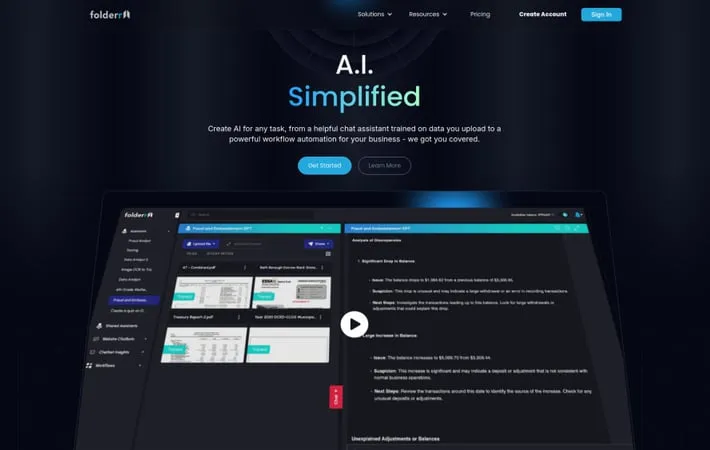
Folderr is an advanced AI platform that simplifies the creation and deployment of artificial intelligence solutions. It serves as a versatile tool that allows users to build their own AI assistants by leveraging document processing capabilities, generative chat tools, and numerous third-party integrations. The platform is designed to make AI technology accessible to everyone, from individual users to enterprise-level organizations, offering solutions for document analysis, chatbot creation, and workflow automation.
Key Features
Folderr is a comprehensive AI platform that enables users to create custom AI assistants by uploading and processing various file formats. It combines document chat capabilities, generative AI tools, workflow automation, and third-party integrations. The platform allows users to interact with multiple language models, create website chatbots, and execute complex tasks through AI-powered workflows with features like web scraping, image generation, and data analysis. Document Processing & Chat: Ability to upload unlimited files including PDFs, spreadsheets, and various data formats, converting them into an interactive AI assistant that can understand and analyze content Multi-Source Integration: Supports data import from multiple sources including computer, phone, Google, Dropbox, FTP, Web Scraping, RSS, and email attachments Workflow Automation: Drag-and-drop interface for creating complex AI-powered workflows and automations, connecting with over 100 third-party applications and tools Website Chatbot Creation: Tools to create, train, and deploy AI-powered chatbots for websites with lead capture and conversation analysis capabilities
Use Cases
Marketing Agency Operations: Helps marketing agencies leverage advanced AI applications beyond basic ChatGPT functionality for improved campaign management and content creation Financial Crime Investigation: Enables analysis of large CSV files containing thousands of records to uncover financial insights and patterns in minutes Education Support: Assists teachers in creating lesson plans, assignments, projects, and quizzes, streamlining educational content preparation IT Consulting: Allows quick deployment of AI chatbots on customer websites using website scraping features for automated customer support
Pros
Unified access to multiple AI models (ChatGPT, Claude, Google Gemini) in one platform Extensive integration capabilities with third-party applications User-friendly interface with drag-and-drop workflow creation Ability to handle large and complex documents effectively
Cons
Regular updates to integrations may require constant adaptation May require technical knowledge for advanced workflow creation
How to Use
Create an Account: Register for an account at Folderr.com by providing accurate registration information and creating login credentials Upload Documents: Upload files through multiple methods: computer, phone, Google, Dropbox, FTP, Web Scraping, RSS, or email attachments directly to your AI assistant Train Your AI Assistant: The system will automatically process and analyze your uploaded documents (supports various formats including PDFs up to 500+ pages) to create a customized AI assistant Use Chat Interface: Interact with your AI assistant through the chat interface to generate responses, create images, solve math problems, search the web, and more Set Up Integrations: Connect your AI assistant to third-party applications using Folderr's 100+ available integrations to expand functionality Create Workflows: Use the drag-and-drop interface to create automated workflows connecting your AI assistant with various tools and integrations Deploy Website Chatbot: If needed, create and deploy an AI chatbot on your website using the website scraping features to train it on your site's content Manage Account: Access account settings through for any modifications or support needs
Official Website
Visit https://folderr.com/ to learn more.
