

FlexClip
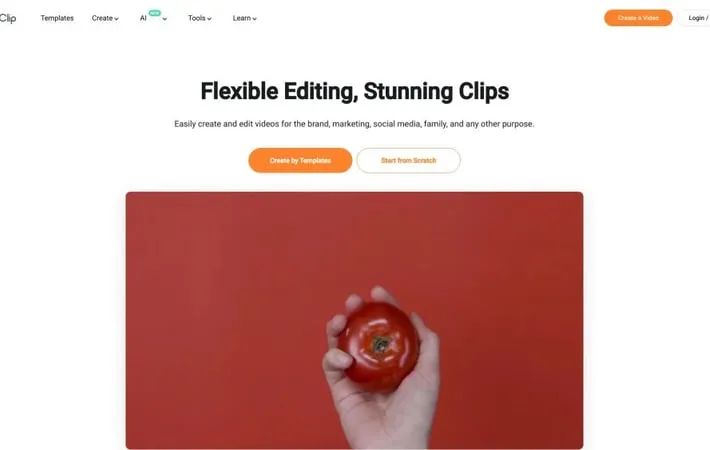
About FlexClip
FlexClip is a versatile online video creation and editing platform designed for users of all skill levels. It offers a comprehensive suite of tools for producing high-quality videos for personal, business, and marketing purposes. With an intuitive interface, FlexClip provides access to thousands of customizable templates, millions of stock media assets, and powerful AI-driven features to streamline the video creation process. Whether you're a beginner or a professional, FlexClip aims to make video production accessible and efficient without requiring extensive technical knowledge.
Key Features
FlexClip is an online video editing platform that offers a comprehensive set of tools for creating and editing videos. It features AI-powered capabilities, a vast library of templates and stock media, collaboration tools, and various editing functions like trimming, merging, adding text and music. FlexClip caters to both beginners and professionals, providing an easy-to-use interface and the ability to export high-quality videos up to 4K resolution. AI-Powered Tools: Includes AI video generator, text-to-speech, auto subtitle, and image background removal for enhanced video creation. Rich Media Library: Offers over 4 million stock videos and photos, 74,000+ music tracks and sound effects, and 1000+ text presets for diverse content creation. Collaborative Workspace: Enables team collaboration with cloud storage for seamless access to files and designs across devices. Versatile Editing Functions: Provides tools for trimming, merging, reversing, speed adjustment, adding text, subtitles, music, and voiceovers. Template-Based Creation: Offers 6000+ customizable templates for various industries and purposes, speeding up the video creation process.
Use Cases
Marketing and Promotion: Create engaging promotional videos and advertisements for businesses across various social media platforms. Education and E-learning: Develop instructional videos and course materials for online education and training purposes. Social Media Content Creation: Design and produce eye-catching short-form videos for platforms like TikTok, Instagram, and YouTube. Real Estate Showcases: Create virtual property tours and promotional videos for real estate listings. Personal Projects: Craft memorable videos for weddings, birthdays, anniversaries, and other personal events.
Pros
User-friendly interface suitable for beginners Extensive library of templates and stock media AI-powered tools for enhanced productivity Cloud-based platform accessible from anywhere
Cons
Some advanced editing features may be limited compared to professional desktop software Requires internet connection for use Higher-tier plans needed for access to all features and longer video exports
How to Use
Sign up for an account: Go to FlexClip.com and create a free account or log in with your existing credentials. Choose a template or start from scratch: On the homepage, select a pre-made template or click 'Start from Scratch' to begin a new project. Add media to your project: Click 'Media' on the sidebar and upload your own files or choose from FlexClip's library of stock videos, images, and music. Edit your video: Use the timeline at the bottom to arrange clips, trim videos, add text, apply transitions, and adjust audio. Enhance with AI tools: Utilize AI features like text-to-speech, auto subtitles, or AI video generation to improve your project. Preview your video: Click the play button to preview your video and make any final adjustments. Export and share: When finished, click 'Export' to download your video or share it directly to social media platforms.
Official Website
Visit https://shareasale.com/ to learn more.
