

FakeYou - Deep Fake Text to Speech
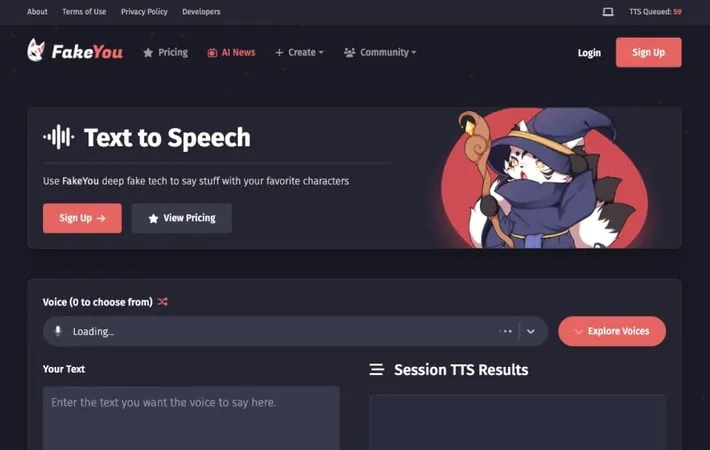
About FakeYou - Deep Fake Text to Speech
Latest Update of FakeYou - Deep Fake Text to Speech: The innovative platform has recently expanded its capabilities with the introduction of a text-to-image feature, allowing users to generate images from text descriptions, enhancing their creative projects. Additionally, the newly launched video style transfer functionality enables users to apply various artistic styles to their videos, making content creation more dynamic and visually appealing. With access to over 2,400 voices, including those of celebrities and fictional characters, FakeYou continues to be a popular choice among content creators and technology enthusiasts. Despite a slight decline in user engagement due to concerns over AI-generated disinformation, the platform remains committed to providing high-quality voice outputs and user-friendly features. The service is free to use, supported by a community of fans, and offers tiered subscription plans for enhanced functionalities.
Key Features
FakeYou is an AI-powered text-to-speech tool that allows users to generate realistic audio clips using the voices of celebrities, fictional characters, and other recognizable figures. It offers a vast library of over 2,000 voice options across multiple languages, making it easy to create engaging and entertaining voice content for various purposes. Extensive Voice Library: Access to over 2,000 voice cloning options, including celebrities, movie characters, and more. Multilingual Support: Ability to generate speech in multiple languages, expanding its global usability. User-Friendly Interface: Simple text input system allowing quick and easy creation of audio clips. Free Basic Access: Core features available for free, making it accessible to a wide range of users.
Use Cases
Entertainment and Social Media: Create funny or engaging content for platforms like WhatsApp, TikTok, or YouTube using recognizable voices. Creative Projects: Generate unique narrations for audiobooks, podcasts, or video projects using celebrity or character voices. Digital Art: Enhance digital art installations or interactive experiences with AI-generated voice narrations. Educational Content: Produce engaging educational materials by using familiar voices to narrate lessons or explanations.
Pros
Impressive range of voice options Easy to use with no technical skills required Free basic access
Cons
Potential ethical concerns with deepfake technology May not be suitable for professional or commercial use due to legal issues Quality may vary depending on the chosen voice
How to Use
Visit the FakeYou website: Go to fakeyou.com in your web browser to access the FakeYou text-to-speech tool. Choose a voice: Browse through the extensive library of over 2,000 voice options and select the celebrity or character voice you want to use. Enter your text: Type or paste the text you want converted to speech into the provided text box. Click 'Speak': Click the 'Speak' button to generate the text-to-speech audio with your chosen voice. Wait for processing: Wait a moment while FakeYou processes your request and generates the audio. Listen to the result: Once processing is complete, the generated audio will appear under 'Session TTS Results' where you can play it back.
Official Website
Visit https://fakeyou.com/ to learn more.
