

DHTMLX ChatBot
About DHTMLX ChatBot
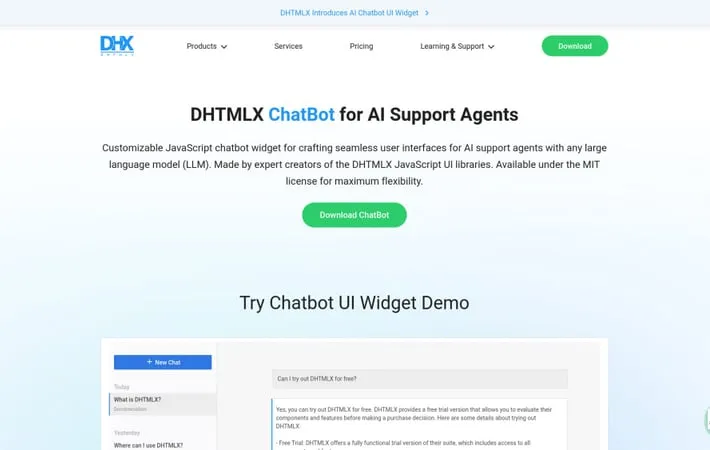
DHTMLX ChatBot is a lightweight and configurable JavaScript widget designed for building user interfaces for AI support agents. Created by the developers of the popular DHTMLX JavaScript UI libraries, this MIT-licensed chatbot widget allows developers to craft seamless chat experiences powered by any large language model (LLM) such as ChatGPT, Claude 3, or Gemini. It offers a flexible chat interface with multiple display modes, typing simulation, markdown support, and a sidebar for managing multiple agent chats.
Key Features
DHTMLX ChatBot is a lightweight, customizable JavaScript widget for creating AI-powered chat interfaces. It offers multiple chat display modes, integrates with various LLM systems like ChatGPT and Claude, and comes with a configurable UI including a sidebar for managing multiple chat agents. Licensed under MIT, it provides extensive documentation, samples, and support from the creators of popular DHTMLX JavaScript UI libraries. Flexible Chat Display Modes: Offers 4 modes for displaying messages: blocks, bubbles, cards, and flow, allowing for versatile chat interfaces. LLM Integration: Works with different large language model systems including ChatGPT, Claude 3, and Gemini, with ready-made integration examples available. Customizable UI: Provides a configurable interface with options to choose chat patterns, define typing speed, and work with markdown formatting. Multi-Agent Support: Includes a sidebar feature for managing a list of chats with different AI agents.
Use Cases
Customer Support Automation: Implement AI-powered chatbots to handle customer inquiries and provide 24/7 support across various industries. Educational Tutoring: Create interactive AI tutors to assist students with questions and provide personalized learning experiences. Health and Wellness Coaching: Develop AI chat interfaces for providing health advice, mental wellness support, or fitness guidance. E-commerce Sales Assistant: Integrate AI chatbots to assist online shoppers with product recommendations and purchasing decisions.
Pros
Lightweight and easily customizable Integrates with multiple LLM systems MIT license for maximum flexibility Backed by experienced developers with a track record of creating widely-used UI libraries
Cons
Requires backend integration for full LLM functionality May have a learning curve for developers new to DHTMLX ecosystem
How to Use
Download DHTMLX ChatBot: Fill out the form on the DHTMLX website to receive a download link for the ChatBot widget via email. Include necessary files: Add the ChatBot CSS and JavaScript files to your HTML page. Create a container: Add a div element to your HTML to serve as the container for the ChatBot widget. Initialize the ChatBot: Use JavaScript to initialize the ChatBot widget, passing in the container ID and any configuration options. Configure ChatBot options: Set options like chat mode (blocks, bubbles, cards, or flow), typing speed, and markdown support. Integrate with backend: Connect the ChatBot to your backend API that interfaces with your chosen LLM (e.g. ChatGPT, Claude, Gemini). Customize appearance: Use CSS to customize the look and feel of the ChatBot widget to match your application. Test and debug: Test the ChatBot functionality and use the browser console to debug any issues.
Official Website
Visit https://dhtmlx.com/docs/products/dhtmlxChatbot to learn more.
