

Child Book Create
About Child Book Create
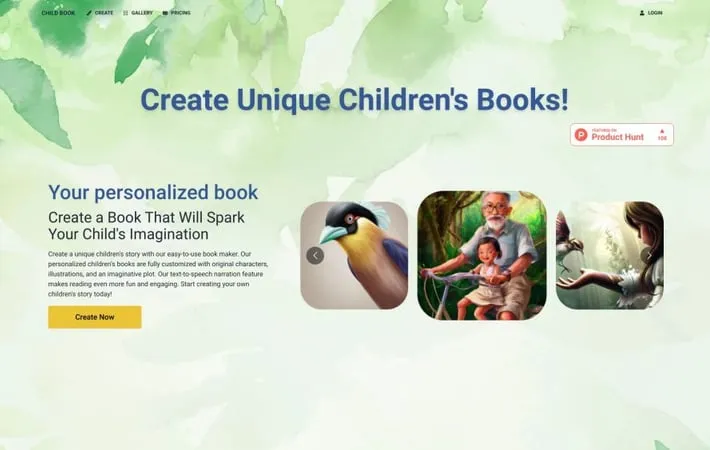
Child Book Create is an innovative online service that uses artificial intelligence to help users create custom children's books. The platform allows anyone to easily craft unique, illustrated stories tailored to specific children by inputting basic information like character details and plot ideas. Using advanced AI, Child Book Create generates original narratives and artwork to bring these personalized stories to life as digital or printed books.
Key Features
Child Book Create is an AI-powered platform that allows users to generate personalized children's books with unique stories, characters, and illustrations. It offers an intuitive interface for creating custom books, AI-generated illustrations, text-to-speech narration, and integration with Canva for additional customization. Users can create, edit, and order printed versions of their personalized books. AI Story Generation: Creates unique, personalized stories based on user input and preferences Custom AI Illustrations: Generates tailored illustrations to match the story and characters Text-to-Speech Narration: Offers audio narration of stories to enhance the reading experience Canva Integration: Allows further customization of book covers and layouts through Canva Print-on-Demand: Enables users to order physical printed copies of their created books
Use Cases
Personalized Gifts: Create unique, customized storybooks as gifts for children Educational Tools: Teachers can generate tailored stories to support classroom learning Language Learning: Create books in multiple languages to aid in language acquisition Aspiring Authors: Provides a platform for new writers to easily create and publish children's books
Pros
Easy to use interface for quick book creation Highly customizable with AI-generated content Offers both digital and print options
Cons
AI-generated content may lack the nuance of human-authored stories Subscription model may be costly for frequent use Limited control over AI-generated illustrations
How to Use
Go to the Child Book Create website: Visit www.childbook.ai to access the AI children's book creation platform. Enter your story idea: Provide a title and brief description of the story you want to create. You can also specify character details. Generate the story: Click the 'Create' button to have the AI generate a unique children's story based on your input. Review and edit the story: Read through the generated story and make any desired edits to the text. Generate illustrations: The AI will automatically create illustrations to match your story. You can regenerate or edit these as needed. Customize the book: Use the Canva integration to further customize the book cover and layout if desired. Listen to the narration: Use the text-to-speech feature to hear the story read aloud. Download or order a print: Download your book as a PDF or order a printed version through the website.
Official Website
Visit https://www.childbook.ai/ to learn more.
