
Censored AI Image Generator
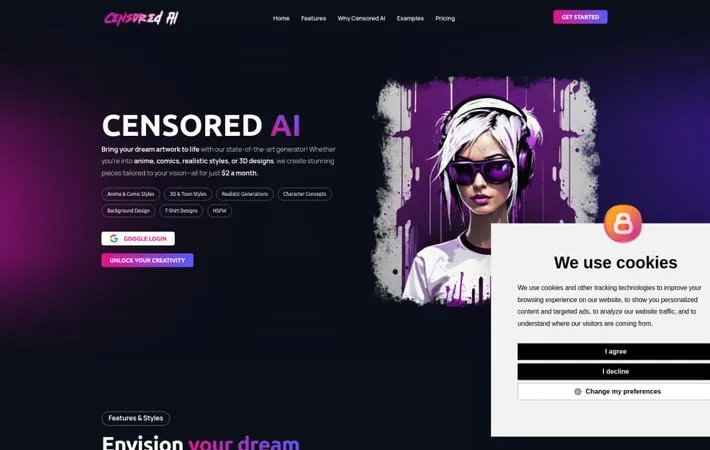
About Censored AI Image Generator
Censored AI is an AI-powered image generation platform that aims to provide unrestricted creative freedom to users. It allows the creation of custom artwork in styles like anime, comics, 3D, realistic, and more - including NSFW content - for an affordable monthly subscription. The platform emphasizes allowing users to bring any idea to life without censorship, while still adhering to legal requirements.
Key Features
Censored AI is an advanced AI image generator that allows users to create uncensored artwork across various styles including anime, comics, realistic, 3D, and NSFW content. It offers unlimited artwork generation for a low monthly fee, supports custom LoRAs, and provides multiple AI models and base styles. Uncensored Image Generation: Create artwork without content restrictions, including NSFW images Multiple Art Styles: Generate images in anime, comic, realistic, 3D, and toon styles Custom LoRA Support: Add and use custom LoRAs to expand creative possibilities Affordable Unlimited Plan: Generate unlimited artwork for just $2 per month
Use Cases
Character Concept Art: Create original character designs for games, comics, or animations T-Shirt Design: Generate unique graphic designs for custom apparel and merchandise Background Art: Produce detailed environment and background art for various media Adult Content Creation: Generate uncensored NSFW artwork for mature audiences
Pros
Allows uncensored content creation Very affordable unlimited plan Supports multiple art styles and models Enables custom LoRA usage
Cons
May raise ethical concerns around uncensored AI-generated content Limited free tier (only 6 artworks per month) Potential for misuse to create inappropriate or harmful content
How to Use
Sign up for an account: Go to censoredai.app and click 'Unlock Your Creativity' or 'Register' to create a new account. You can also sign up using your Google account. Choose a subscription plan: Select either the free plan or a paid plan ($2/month or $44.99/year) to access more features and unlimited artwork generation. Access the image generator dashboard: After signing up, you'll be taken to the main dashboard where you can start creating images. Select an image style: Choose from styles like anime, comic, toon, realistic, 3D, etc. depending on what type of image you want to create. Enter your image prompt: Type in a detailed description of the image you want to generate in the text box provided. Customize settings (optional): Adjust any available settings like image size, style strength, etc. if desired. Generate the image: Click the generate button to create your AI image based on your prompt and settings. Download or edit the result: Once generated, you can download your image or make further edits if needed.
Official Website
Visit https://censoredai.app/ to learn more.
