

AI Video
About AI Video
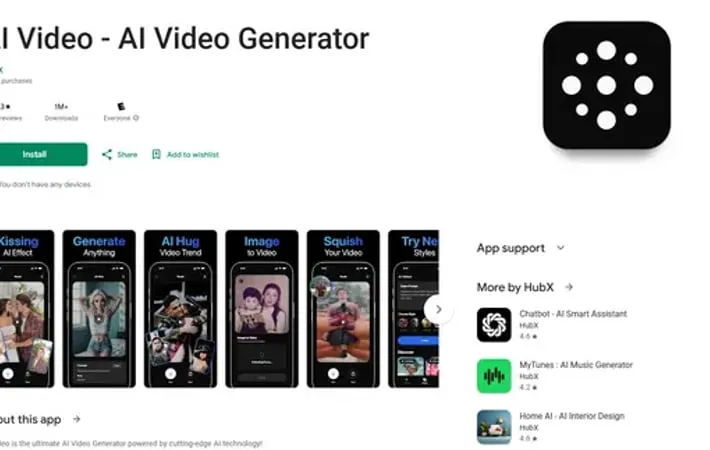
AI Video is an innovative mobile application that leverages advanced AI technology to transform text descriptions and images into high-quality video content. Developed by HubX, this app makes professional video creation accessible to everyone, from content creators to business owners. The app combines powerful AI algorithms with user-friendly interfaces to enable quick and easy video generation without requiring technical expertise or professional editing skills.
Key Features
AI Video is a powerful video generation tool that uses advanced AI technology to transform text prompts into professional-quality videos. The app offers diverse video styles including anime, realistic, cyberpunk, 3D rendering, watercolor, and oil painting. It features text-to-video conversion capabilities, customizable video styles, and the ability to create various types of content from movie scenes to animated characters. Text-to-Video Conversion: Convert written text descriptions into captivating videos using advanced AI technology, allowing users to create professional-looking movie scenes and animated content Multiple Video Styles: Access to various video styles including anime, realistic, cyberpunk, 3D rendering, watercolor, and oil painting for diverse creative options AI-Powered Generation: Utilizes cutting-edge AI technology to understand user prompts and automatically generate corresponding video content with professional quality Customizable Options: Offers flexibility to customize video styles and content to match specific needs, from business presentations to creative storytelling
Use Cases
Content Creation: YouTubers and social media creators can generate dynamic intros, outros, and engaging explainer videos for their channels Business Marketing: Companies can create promotional videos, product demos, and social media content to enhance their brand presence Education: Teachers can design interactive and visually stimulating learning materials for lectures and online courses Storytelling: Writers and creators can transform written stories, poems, or scripts into visual narratives
Pros
Easy-to-use interface for creating professional-looking videos Diverse range of video styles and customization options Accessible to users without video editing experience
Cons
24-hour wait time between video generations Limited number of generations even with paid subscription Some features like image animation may produce unrealistic results
How to Use
Download and Install: Download AI Video - AI Video Generator app from Google Play Store and install it on your device Choose a Subscription Plan: Select from available subscription options: Basic ($4.99/month), Standard ($9.99/month), Pro ($29.99/month), or Premium ($49.99/month) Write Text Prompt: Enter a text description of the video you want to create in the text-to-video interface Select Video Style: Choose from different video styles like Anime, Realistic, Cyberpunk, 3D Rendering, Watercolor, or Oil Painting Generate Video: Click generate and let the AI create your video based on your text prompt and selected style Customize Video: Use the editing tools to make any adjustments or refinements to your AI-generated video Save and Export: Save your completed video and export it for sharing on social media or other platforms Note Usage Limits: Be aware there is a 24-hour wait period between video generations, even with paid subscriptions
Official Website
Visit https://play.google.com/store/apps/details?id=ai.video.generator&hl=en to learn more.
