

AI Clothes Changer: ReWear
About AI Clothes Changer: ReWear
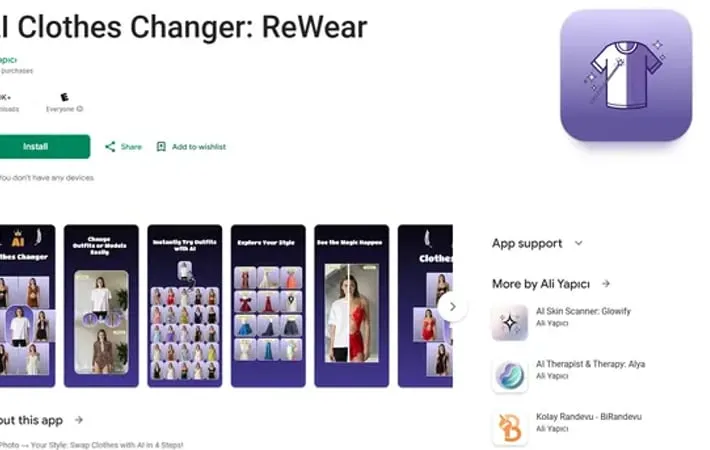
AI Clothes Changer: ReWear is an innovative mobile application that transforms the way people experiment with fashion and clothing choices. It serves as a virtual dressing room where users can try on different outfits, styles, and fashion trends without physically wearing the clothes. The app combines artificial intelligence with photo editing technology to provide a seamless and realistic clothes-changing experience, offering access to over 100 ready-made outfits across 14+ categories including casual, party, and gym wear.
Key Features
AI Clothes Changer: ReWear is an advanced virtual wardrobe app that uses AI technology to help users visualize different clothing styles and outfits without physically trying them on. The app allows users to upload photos and swap tops, pants, dresses, or full outfits instantly with realistic results. It offers 14+ categories with 100+ ready outfits, custom design uploads, and precise AI-powered editing that maintains natural lighting and body shape features. Simple 4-Step Process: Users can transform their looks in just 4 steps: upload/capture photo, select clothing, choose area to change, and get instant AI-generated results Extensive Clothing Library: Access to 14+ categories featuring 100+ ready-made outfits ranging from casual to formal wear, plus ability to upload custom designs Selective Area Editing: Option to change specific areas (top only, bottom only) or complete outfits while maintaining natural look and lighting Before-After Comparison: Interactive slider feature to compare original and styled versions of photos
Use Cases
Online Shopping Enhancement: Shoppers can virtually try on clothes before making purchase decisions, reducing return rates and improving shopping confidence Content Creation: Social media influencers and content creators can generate multiple outfit variations from a single photo for their content Fashion Design Testing: Designers can visualize their clothing designs on real body shapes before production Virtual Styling Service: Personal stylists can show clients various outfit combinations without physical fitting sessions
Pros
User-friendly interface requiring no professional skills High-quality, realistic results with AI technology No watermarks on output images Versatile editing options for different clothing parts
Cons
Requires in-app purchases for full feature access Best results limited to front-facing, full-body photos Depends on good quality input photos for optimal results
How to Use
Step 1: Capture or Upload Photo: Take a new photo using your camera or select an existing photo from your gallery. For best results, use a front-facing, full-body photo. Step 2: Choose Clothing Options: Select from 14+ categories containing 100+ ready-made outfits (casual, party, gym, etc.) or upload your own custom clothing design from your gallery. Step 3: Select Area to Change: Choose which part of your outfit to modify: Top Only (shirts, jackets, dresses), Bottom Only (jeans, skirts, shorts), or Full Outfit for a complete transformation. Step 4: Generate and Review Results: Let the AI blend the new clothes seamlessly into your photo. Use the Before-After slider to compare the original versus styled version. Step 5: Save and Share: Download the final image in HD quality or share it directly to social media platforms like Instagram Reels, TikTok, and Pinterest.
Official Website
Visit https://play.google.com/store/apps/details?id=dev.aliyapici.ReWear&hl=en to learn more.
