
Adobe Express
About Adobe Express
Adobe Express is a cloud-based design platform developed by Adobe that allows users to quickly and easily create standout content for social media, marketing materials, and other digital assets. It is aimed at mainstream users of all design skill levels, not just professionals. Adobe Express evolved from Adobe Spark and offers intuitive drag-and-drop functionality combined with thousands of customizable templates, stock photos, fonts, and design elements. The app is available on web browsers and mobile devices, with both free and premium paid plans.
Key Features
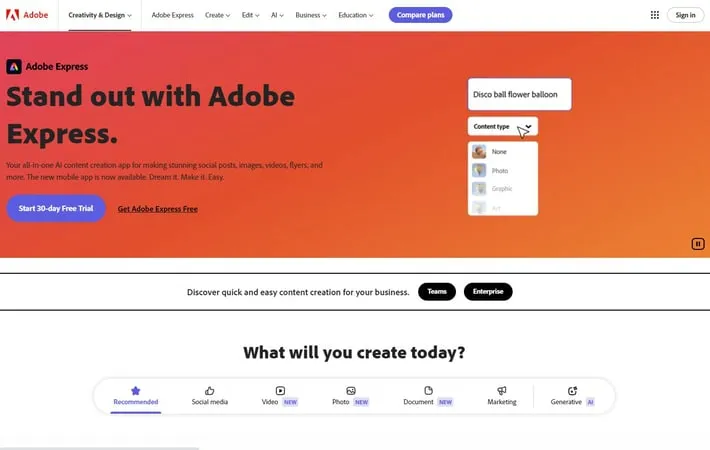
Adobe Express is an all-in-one AI-powered content creation app that allows users to easily create stunning social posts, images, videos, flyers, and more. It offers thousands of professionally designed templates, AI-powered tools like text-to-image generation and background removal, content scheduling capabilities, and seamless cross-device workflow. The app includes both free and premium plans with varying levels of features and assets.
AI-powered content creation: Use generative AI tools like Text to Image and Text Effects to quickly turn text prompts into extraordinary images and designs.
Extensive template library: Access thousands of professionally designed templates for social media posts, stories, flyers, and more to jumpstart creativity.
Quick Actions: Easily remove backgrounds, add video captions, generate QR codes, transform images into GIFs, and resize content with one click.
Content scheduling: Plan, preview, schedule, and publish content to multiple social media channels directly from the app.
Cross-device workflow: Create content seamlessly across desktop browsers and mobile phones with synced files.
Use Cases
Social media marketing: Create and schedule eye-catching social media posts and stories for multiple platforms.
Event promotion: Design flyers, invitations, and promotional materials for various events and occasions.
Educational content: Develop engaging visual materials for classroom use or online learning platforms.
Small business branding: Create consistent branded content including logos, marketing materials, and social media assets.
Personal projects: Design custom graphics for personal blogs, photo albums, or creative hobbies.
Pros
User-friendly interface suitable for beginners and non-designers
Wide range of templates and assets available
Powerful AI-driven features for quick and easy content creation
Cross-platform compatibility and syncing
Cons
Some advanced features require a paid subscription
Limited SVG support
May not be suitable for complex professional design projects
How to Use
Sign up for Adobe Express: Go to express.adobe.com and sign up for a free account or start a free trial of the Premium plan. You can also download the mobile app.
Choose a project type: On the Adobe Express homepage, select the type of project you want to create (e.g. social media post, video, flyer, etc.) or start from scratch.
Select a template: Browse through the available templates and select one that fits your needs, or start with a blank canvas.
Customize your design: Use the drag-and-drop editor to add text, images, icons, and other elements. Customize colors, fonts, and layouts.
Add photos or videos: Upload your own media or search Adobe Stock for royalty-free images and videos to use in your project.
Apply effects and animations: Enhance your design with effects, filters, and animations available in the editor.
Use AI-powered features: Try generative AI tools like Text to Image or Text Effects to quickly create unique content.
Resize for different platforms: Use the resize tool to automatically adjust your design for different social media platforms or print sizes.
Preview and edit: Preview how your design will look and make any final edits or adjustments.
Download or share: When finished, download your project or share it directly to social media platforms.
Official Website
Visit https://www.adobe.com/express/ to learn more.
